In e-Schooling, it is possible to associate family members such as parents, grandparents, or other guardians with student profiles, ensuring a more complete and integrated management of the school community. This article explains how to correctly perform this association.
1. Create the Family Entity
Before associating a family member with a student, you must ensure that the entity already exists in the system.
Go to Community > All
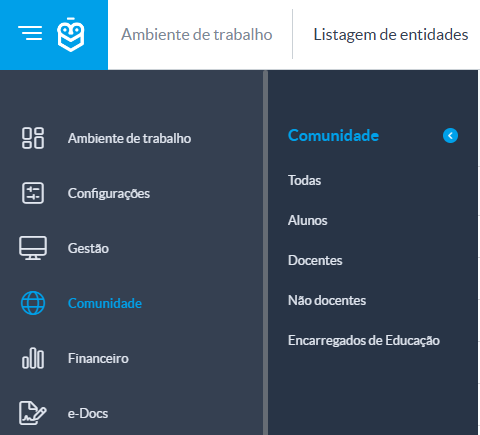
Search for the desired entity or, if it does not exist, click Add [+] to create a new one.
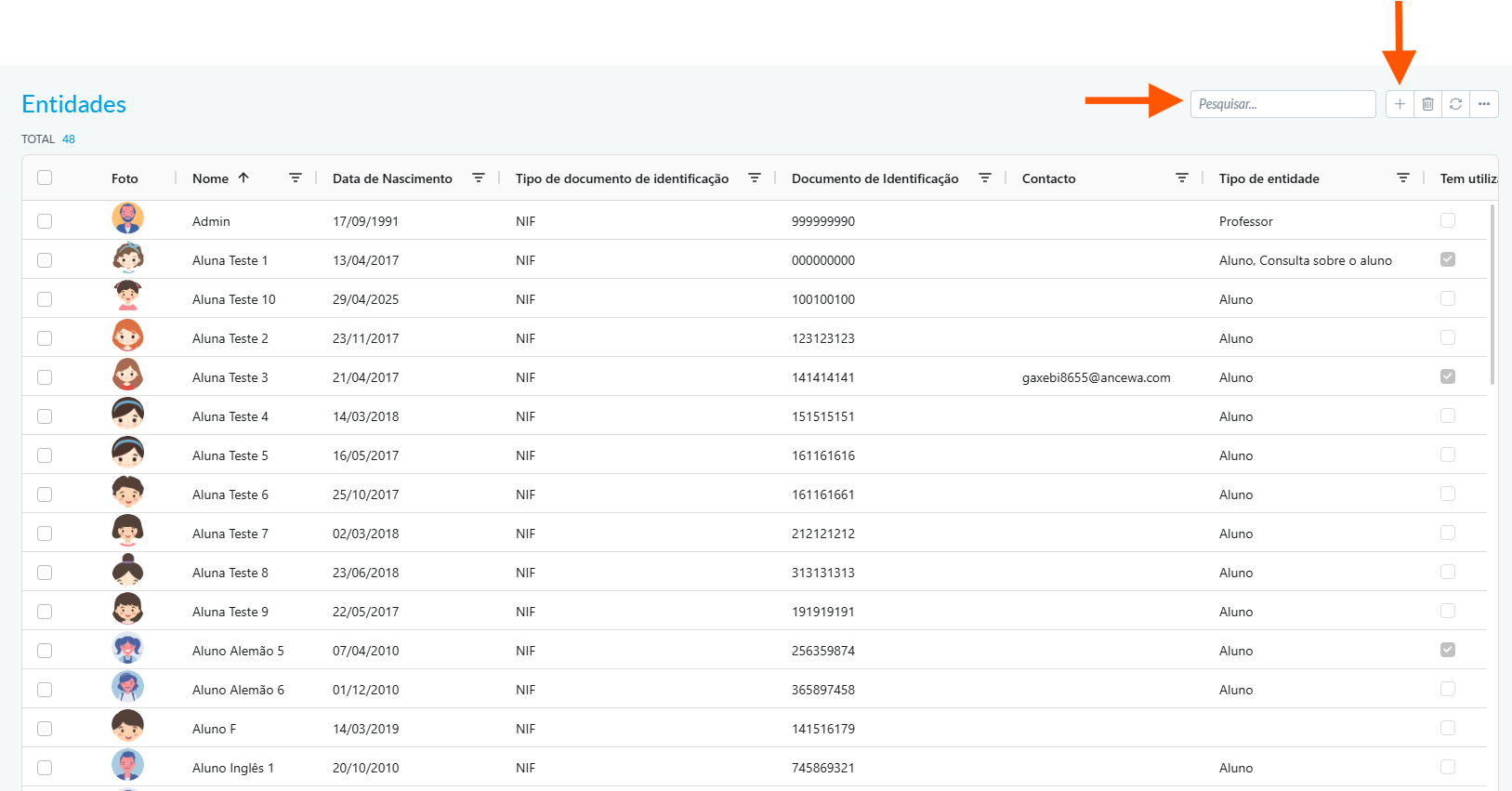
Entities such as parents, grandparents, or guardians should be created in the All group, as they do not belong to the predefined groups (Students, Teachers, Non-Teaching Staff).2. Associate the Family Entity with the Student
Access the student’s profile (e.g., Maria Helena)
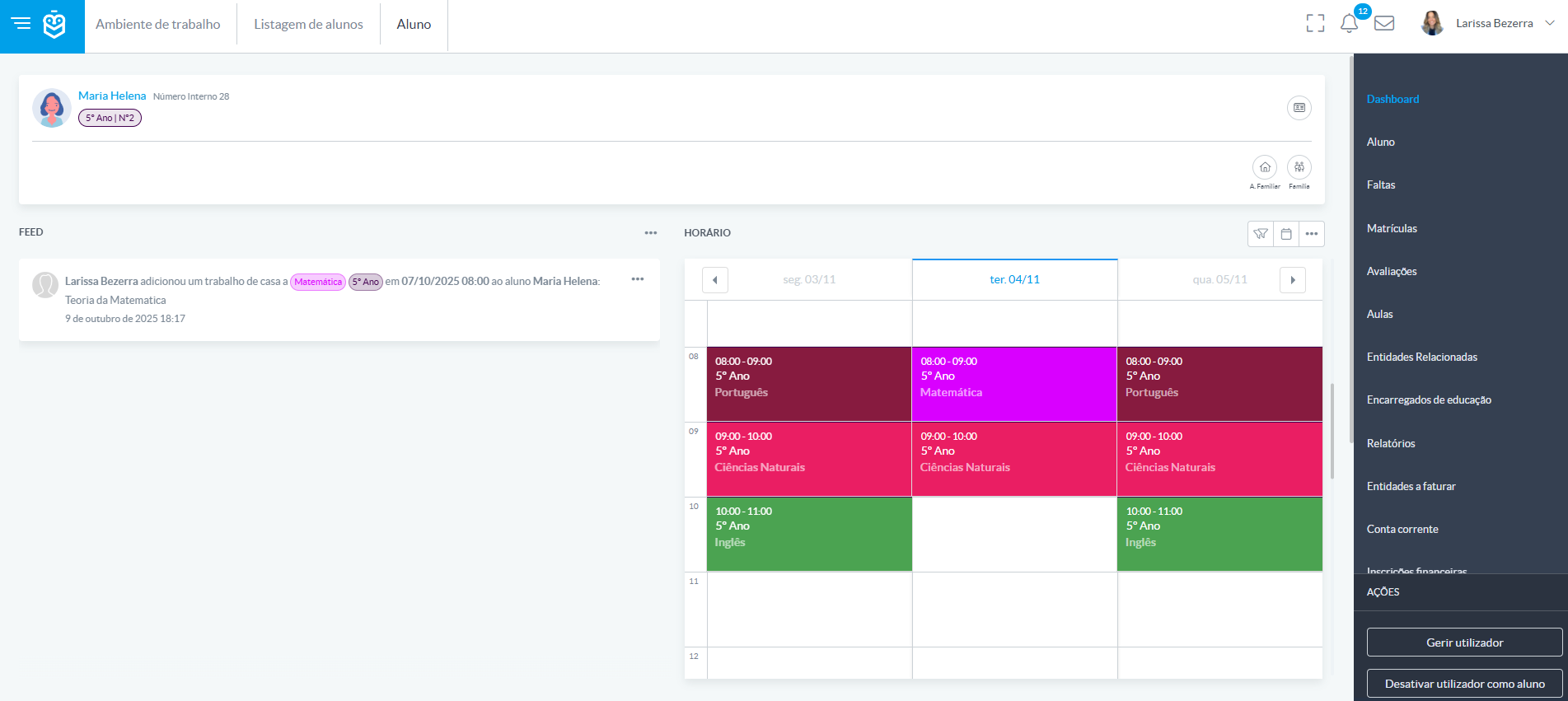
In the Related Entities section, select "+" to associate the family member
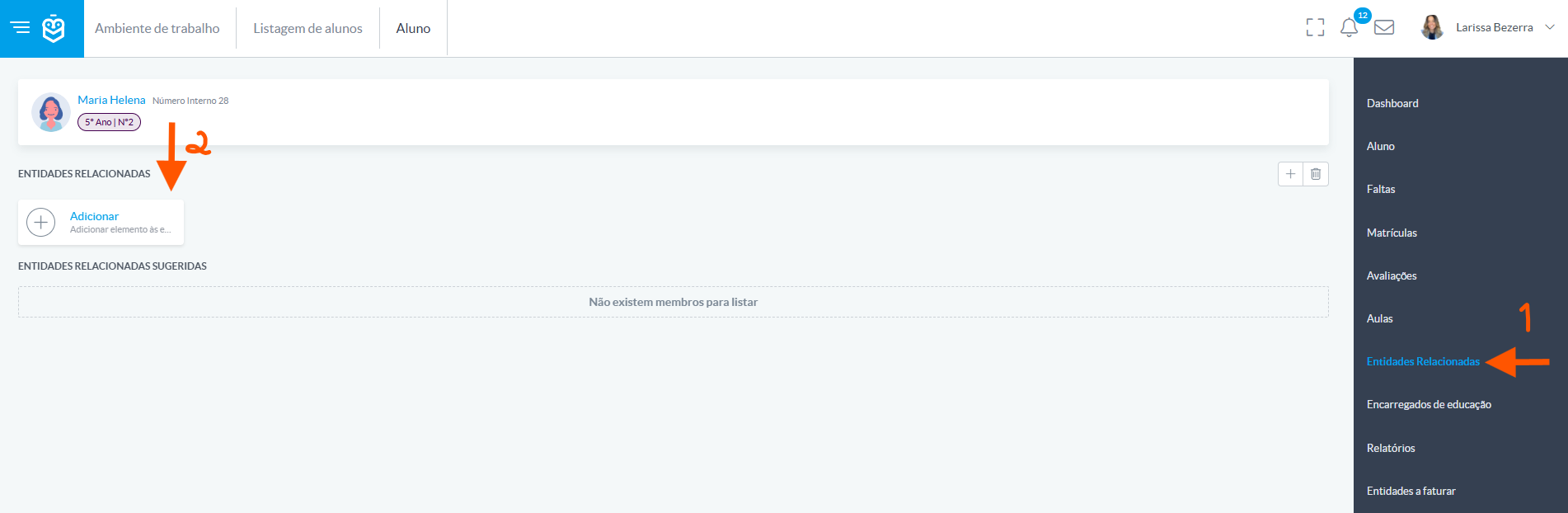
Specify the relationship type (e.g., mother, father, grandmother)
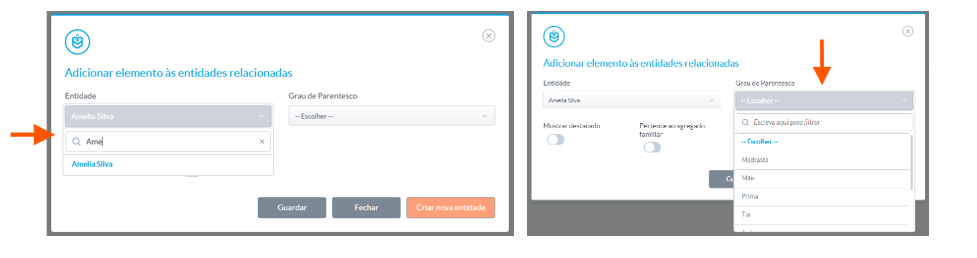
Click Save
3. Automatic Association Suggestions
If the family entity is already associated with another student, the system may suggest the association automatically.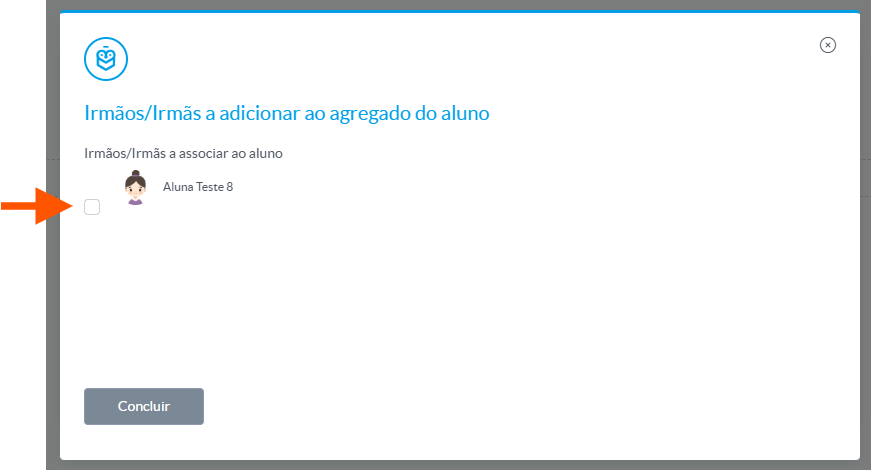
Accept the suggestion by selecting the desired entity and clicking Finish. If you do not wish to associate, you can ignore the suggestion by clicking the X in the top-right corner.
Correctly associating family members in e-Schooling ensures efficient communication, facilitates notification delivery, and optimizes school data management. Make sure all entities are created and linked with the appropriate relationship type to keep information organized and accurate.
Was this article helpful?
That’s Great!
Thank you for your feedback
Sorry! We couldn't be helpful
Thank you for your feedback
Feedback sent
We appreciate your effort and will try to fix the article