After a user has been created with a specific profile, it is possible to associate them with an additional user group later via Settings > System > User Groups.
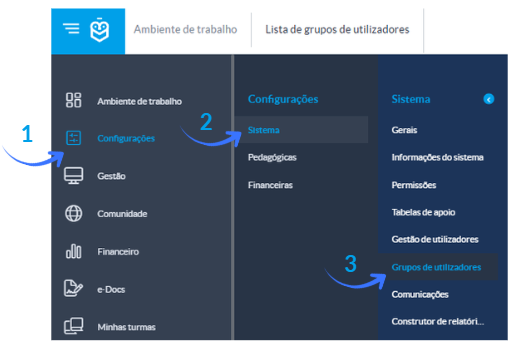
Example: A user was created with the profile “Teacher”, but you want them to also have the “Administrator” profile to gain additional permissions for viewing, editing, and configuring the application.
In this case, you must access the menu mentioned above and perform the following configuration:
1. Select the user group you want to associate the entity with 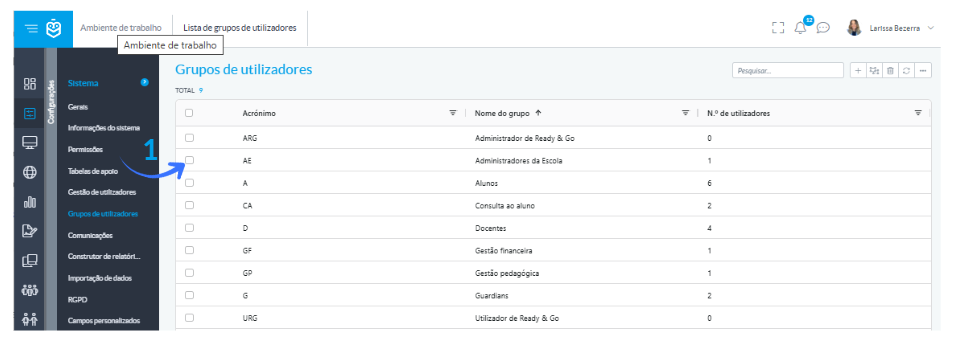
2. In the submenu, select the option “Users” and click the “+” (Add) icon
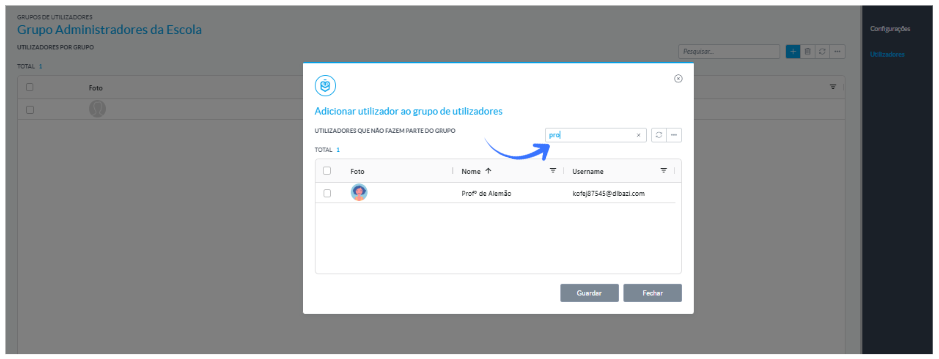
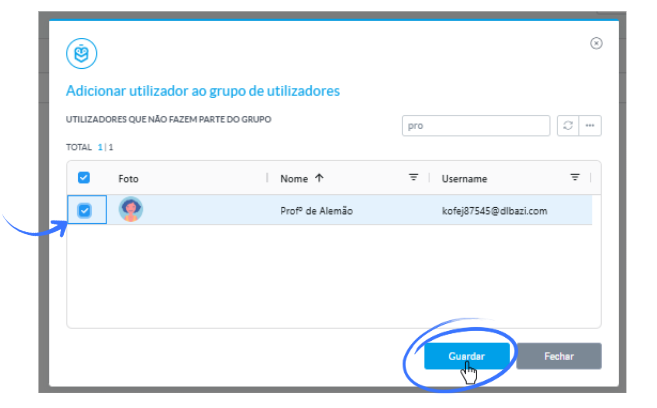
4. Select the entity(ies) and complete the process by clicking “Save”
Was this article helpful?
That’s Great!
Thank you for your feedback
Sorry! We couldn't be helpful
Thank you for your feedback
Feedback sent
We appreciate your effort and will try to fix the article