Non-teaching staff are essential for the administrative and operational functioning of the school. In e-Schooling, properly creating these entity profiles ensures they can perform their roles and access the relevant areas of the system. This article explains how to carry out the initial registration.
1. Access the Community Menu
From the side menu, click on Community and select the Non-Teaching Staff group.
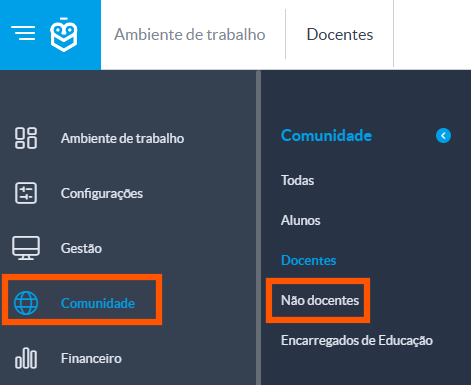
The “All” menu should only be used to create entities that are not of the type Student, Teacher, or Non-Teaching Staff.The Guardians group is available only for viewing entities that are already associated as guardians in student profiles. It is not possible to create new entities directly in this group.2. How to Create an Entity
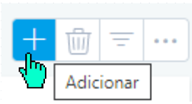
In the selected group, click the Add [+] button to start registering a new entity.
A window will appear with the basic fields of the entity profile.
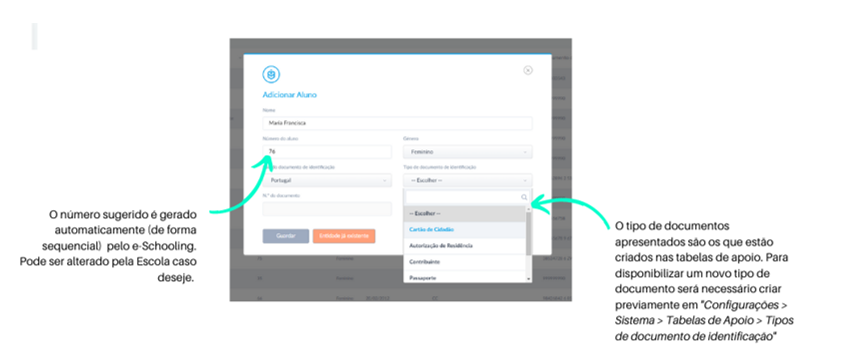
After saving, you will be redirected to the full entity profile, where you can add additional information.
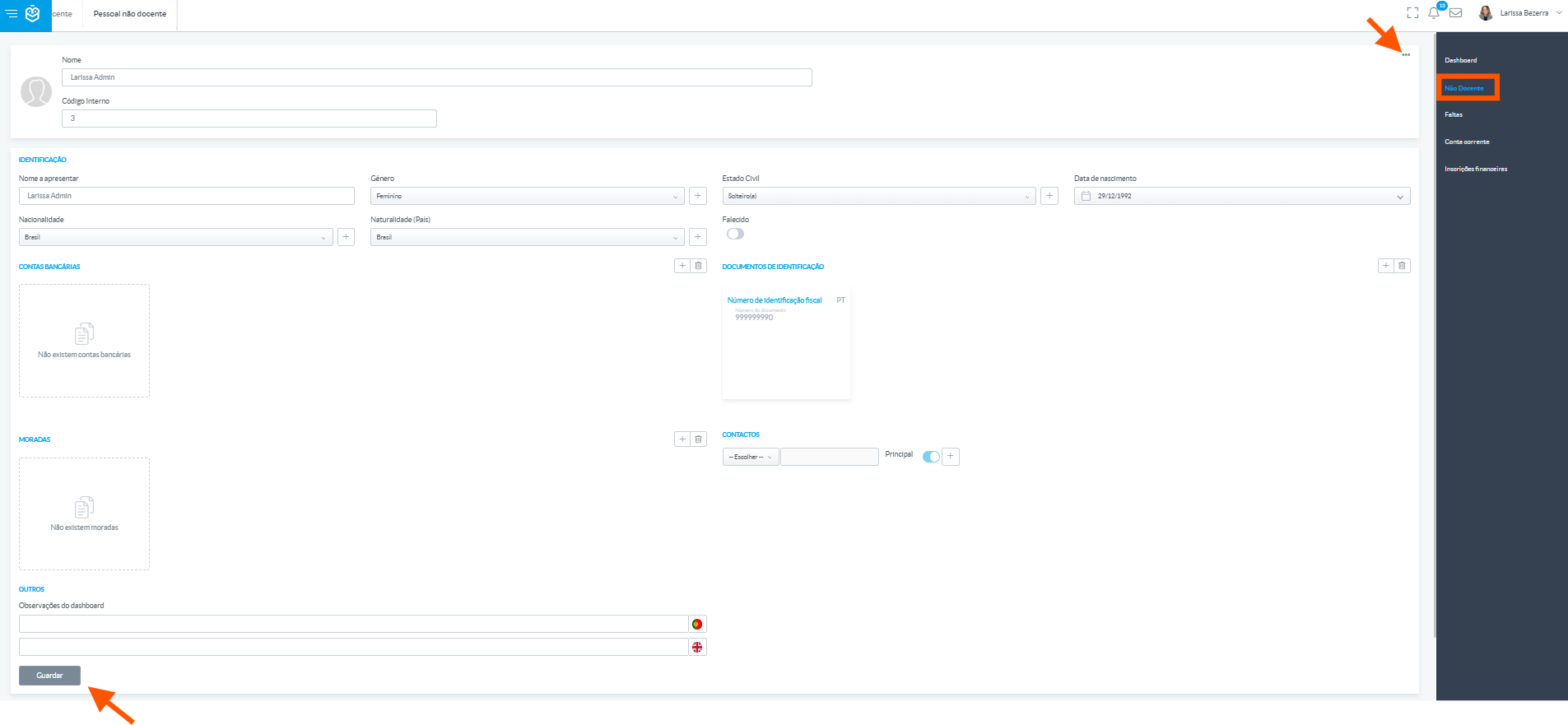
Once the entity is created, the complete profile will open. Use this area to update or add relevant information, such as personal details, contacts, and other necessary data.
Don’t forget to click Save at the end to ensure all changes are recorded in the system.Was this article helpful?
That’s Great!
Thank you for your feedback
Sorry! We couldn't be helpful
Thank you for your feedback
Feedback sent
We appreciate your effort and will try to fix the article