This article explains how to edit or add subjects in e-Schooling, both at the global level (curricular unit model) and locally, within courses and classes. Understanding the distinction between these two levels is essential for effective and organized pedagogical management.
1. Curricular Unit Model (Global Level)
This scenario applies when you want to create or edit subjects that will be available for association across different courses and classes.
Go to: Settings > Pedagogical > Curricular Units
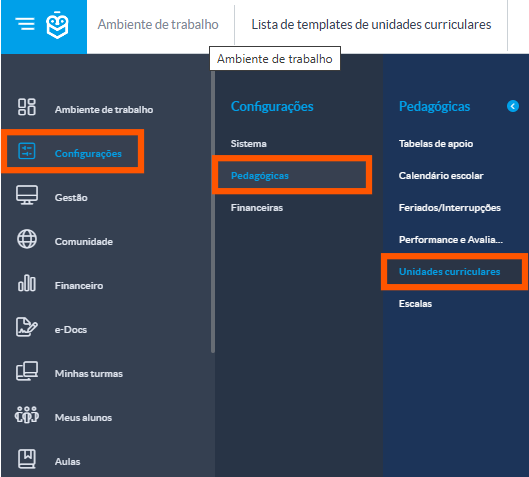
Create a New Curricular Unit
Click on "+" to add a new subject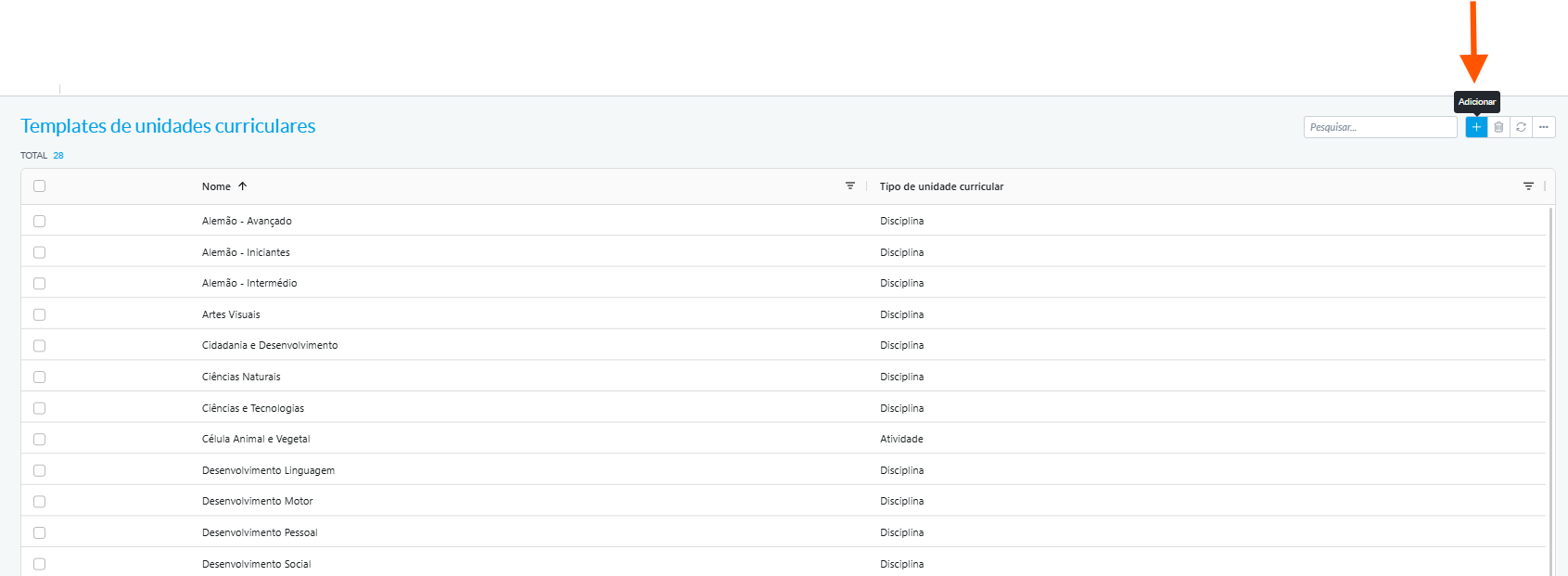
Fill in the required fields:
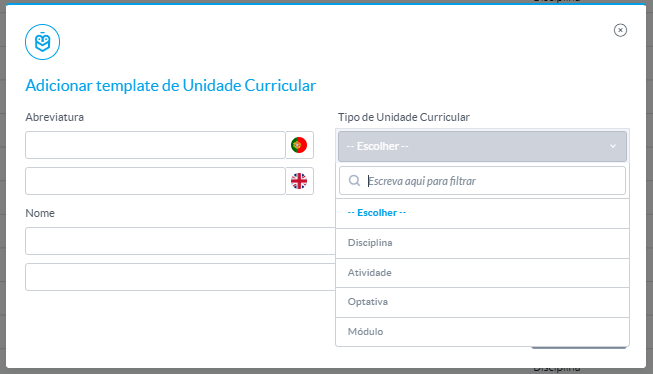
Name and abbreviation
Type of curricular unit (subject, activity, project)
Click Save
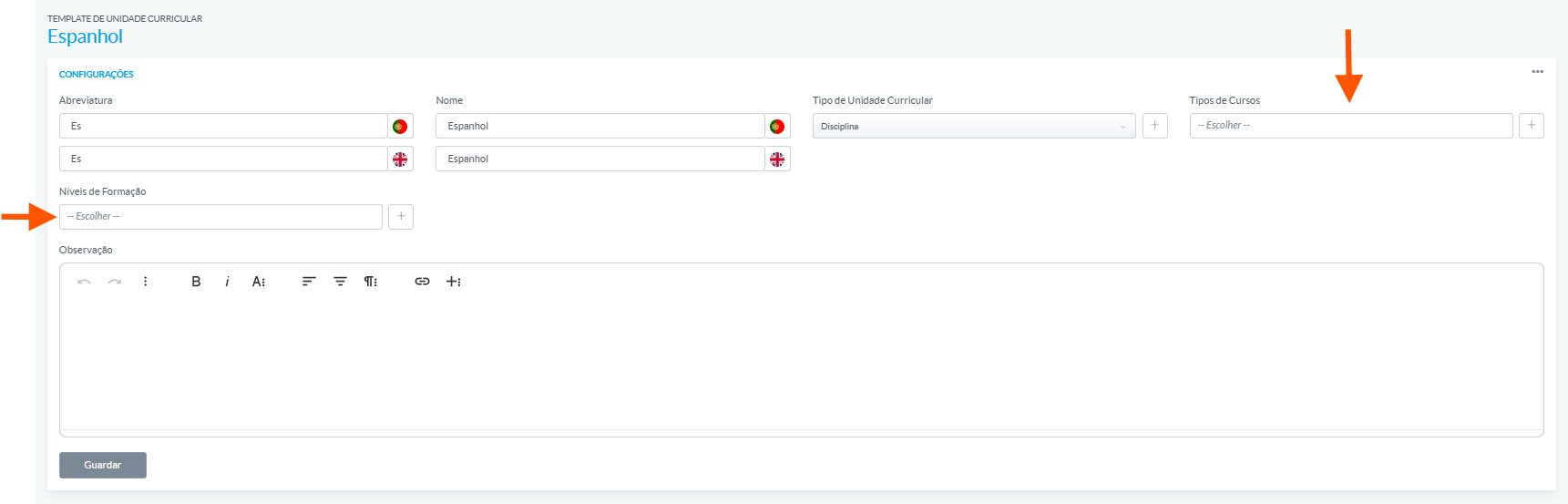
You will be redirected to a new page where you must indicate the courses and education levels in which the curricular unit will be applied.
Edit an Existing Curricular Unit
Locate the curricular unit you want to edit and click on it
 Click the three dots (...) and select Read/Edit Mode

The subject page will open for editing:
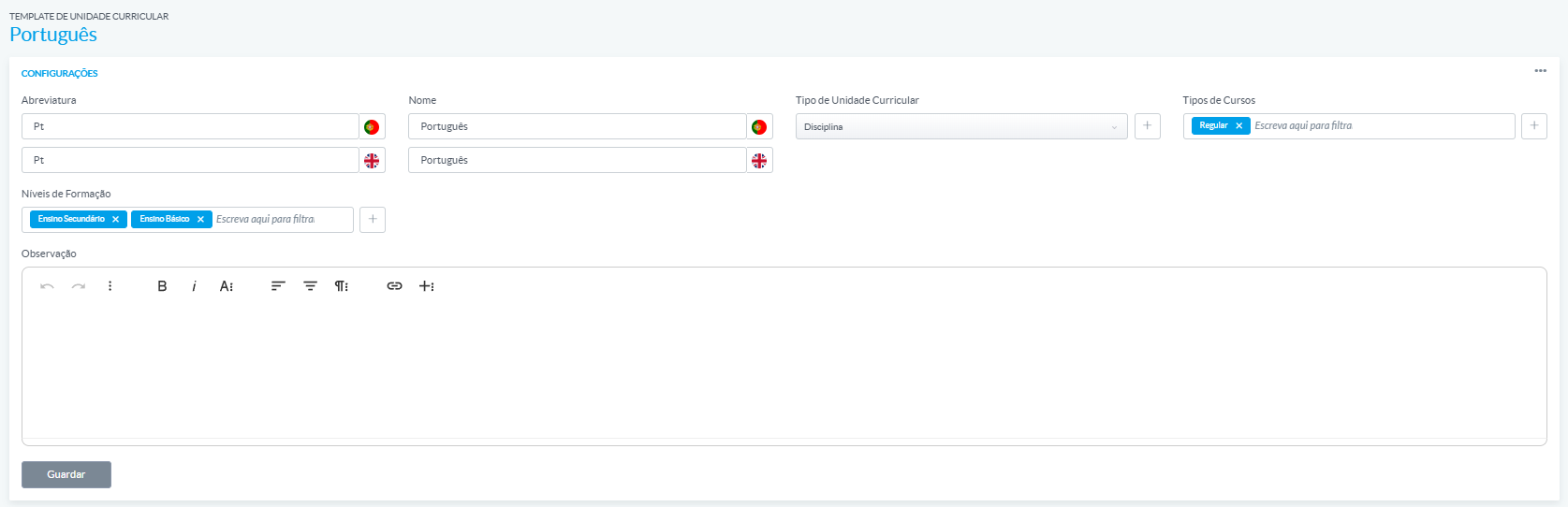
Name and abbreviation
Type of curricular unit
Education levels
Course types
Click Save to apply the changes.
2. Within a Course or Class (Local Level)
If a subject is configured directly in a course, all classes associated with that course will automatically inherit the subject. Therefore, it is not necessary to add it manually to each class unless specific adjustments are needed for a particular class.
Add a Subject to a Course
Go to: Management > Courses
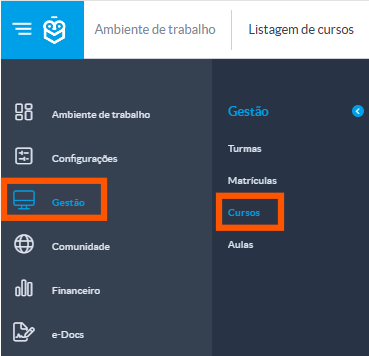
Select the desired course
Go to the Curricular Units section
Click Add Subject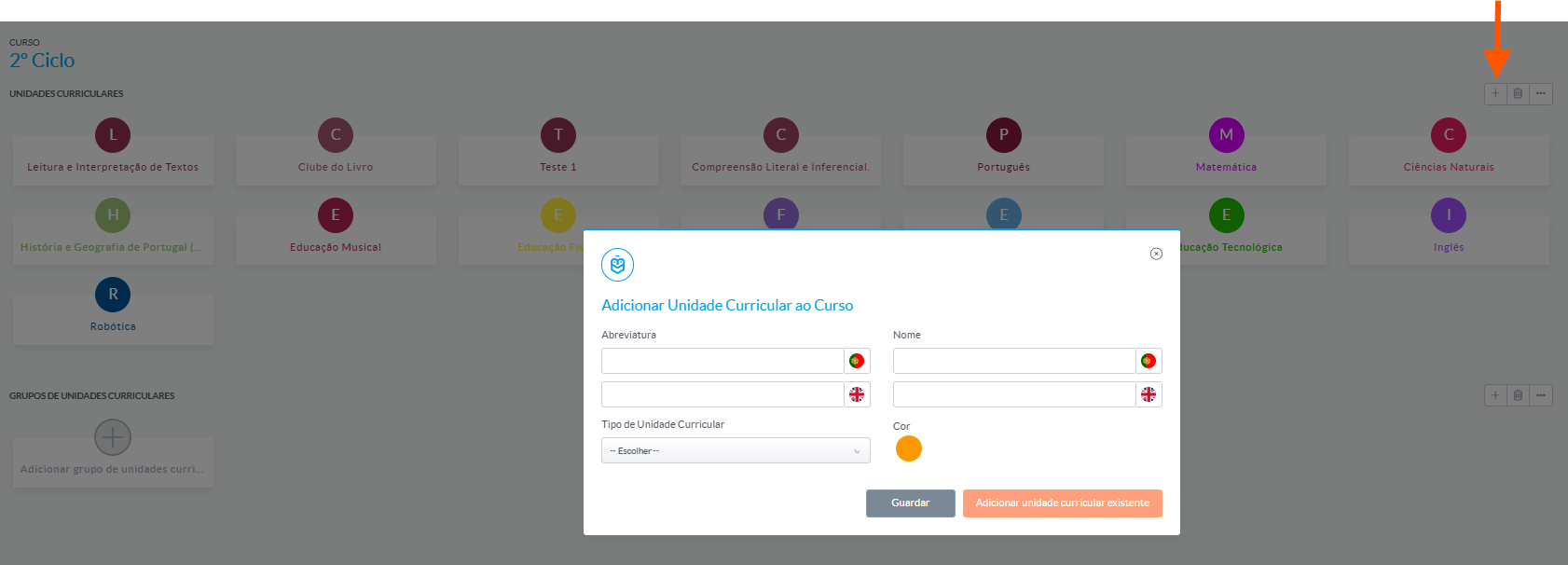
Create or select the subject(s) to associate with the course based on the template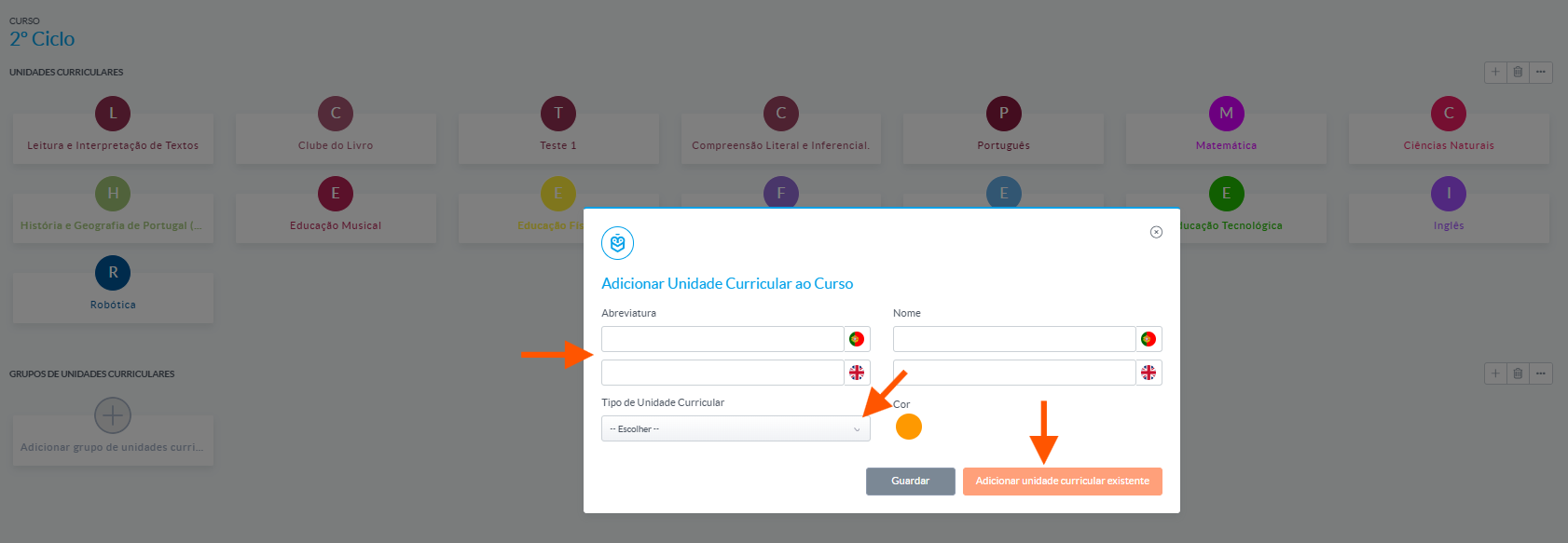
Click Save
Add or Edit Subjects in a Class
Go to: Management > Classes
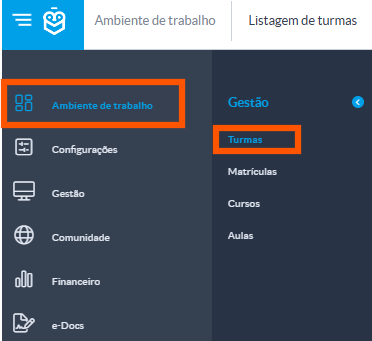
Select the desired class
Go to the Curricular Units section
Click Add Subject and select the subject(s) to associate with the class (based on the subjects already configured in the course)
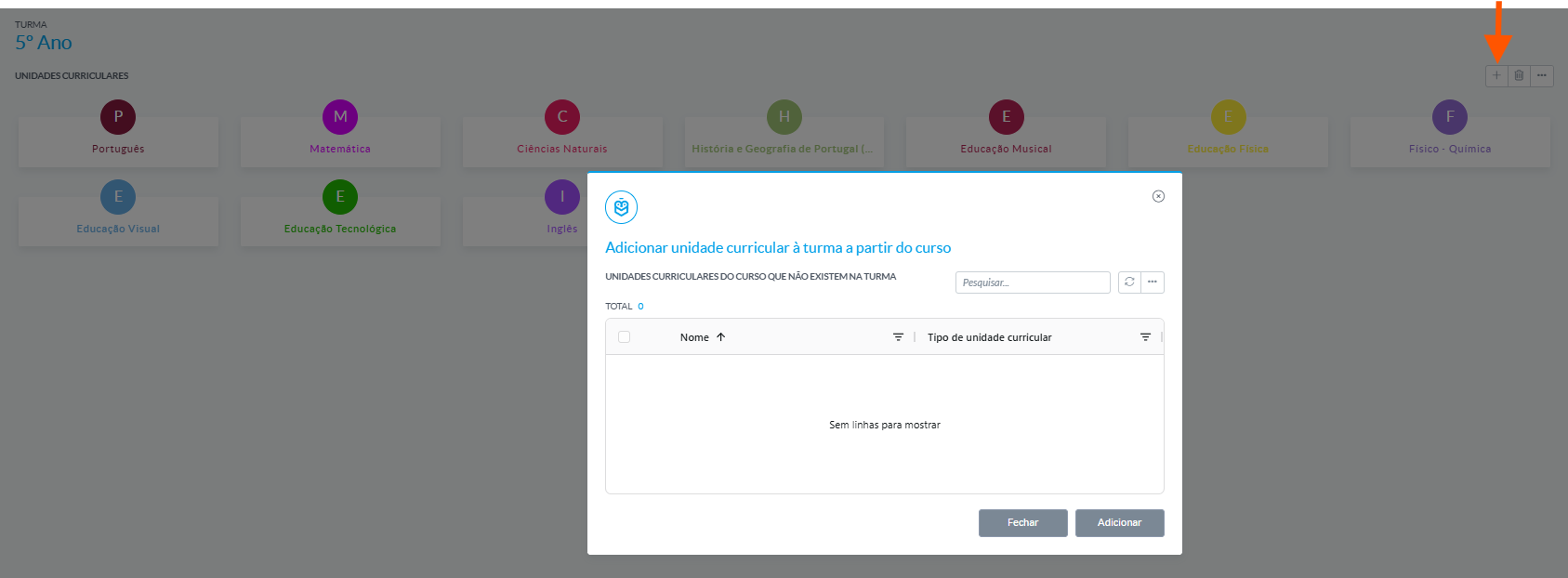
To edit the existing list of subjects, click and use the three dots (...)

From there, you can adjust fields such as the name, abbreviation, type of curricular unit, color, notes, workload, among others.
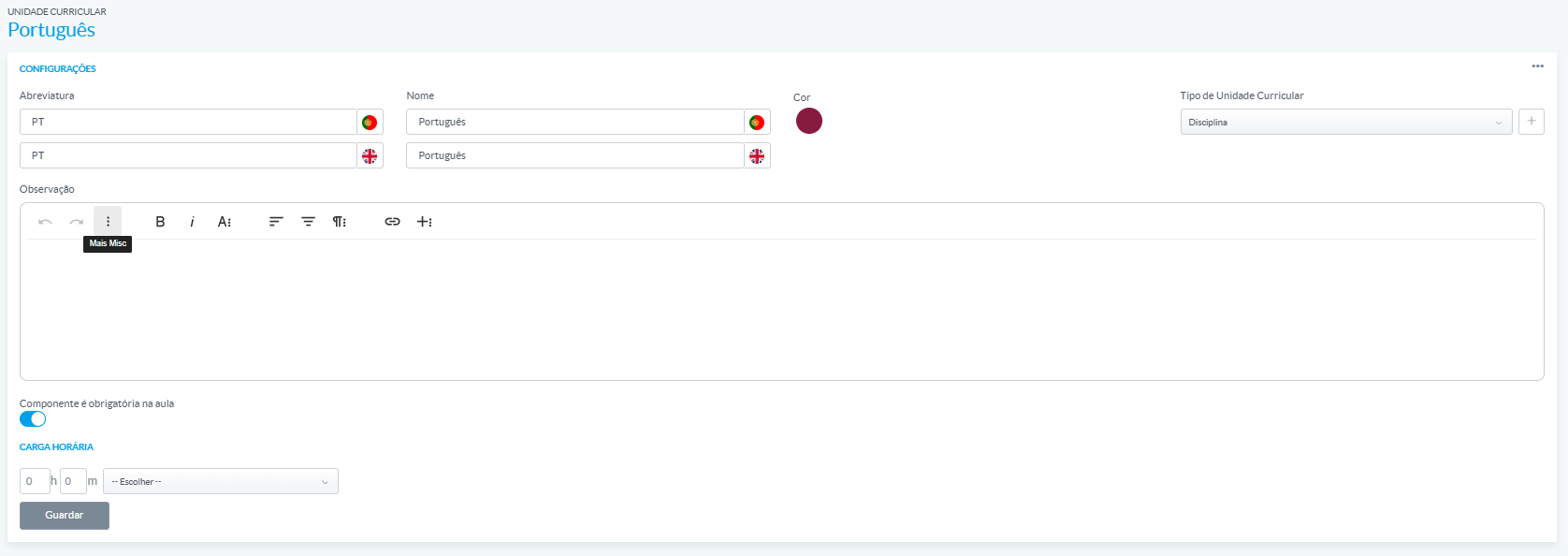
Click Save
Was this article helpful?
That’s Great!
Thank you for your feedback
Sorry! We couldn't be helpful
Thank you for your feedback
Feedback sent
We appreciate your effort and will try to fix the article