This article explains how to configure and apply publishing rules in the e-Schooling feed, ensuring that only authorized profiles can share content with the groups defined by the school.
1. Where to Configure the Rules
Publishing rules are defined in:
Settings > System > General > Feed
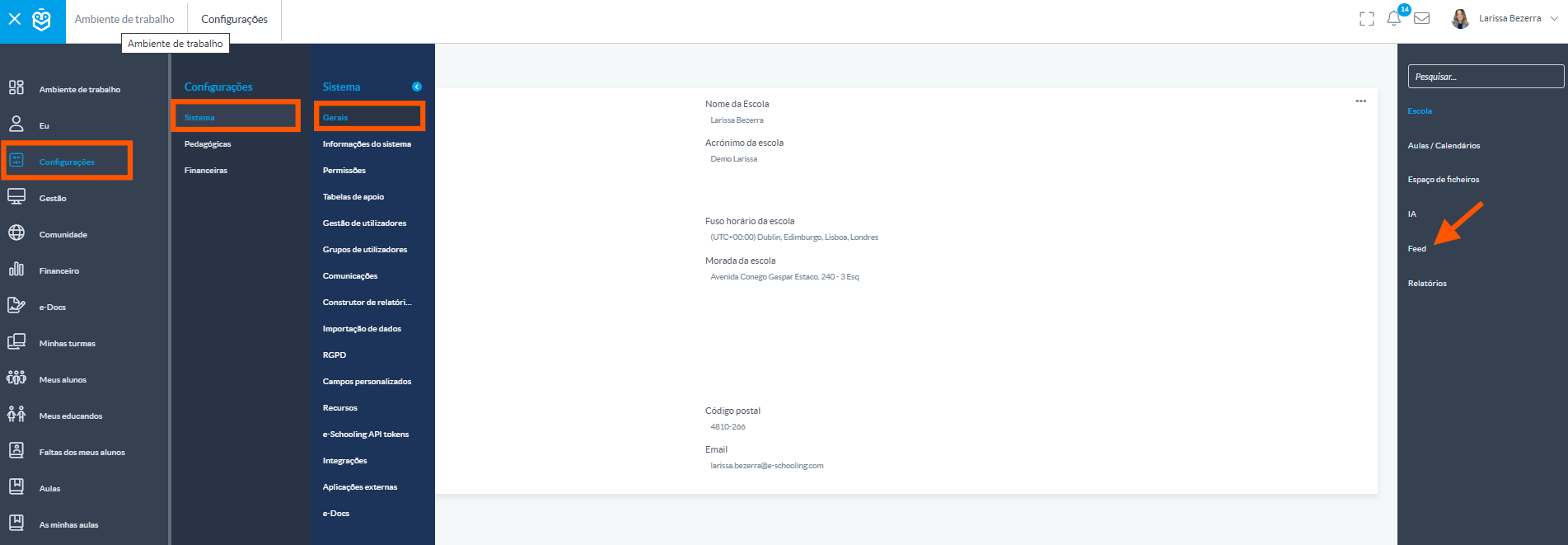
In this menu, you can enable or disable the feed functionality and define which profiles have permission to publish.2. How to Configure Authorized Profiles
To configure which profiles are allowed to publish in the feed:
Click on the three dots “...” to edit the settingsSelect the profiles that will be allowed to publish in each context (e.g., teachers, class directors, coordinators, etc.)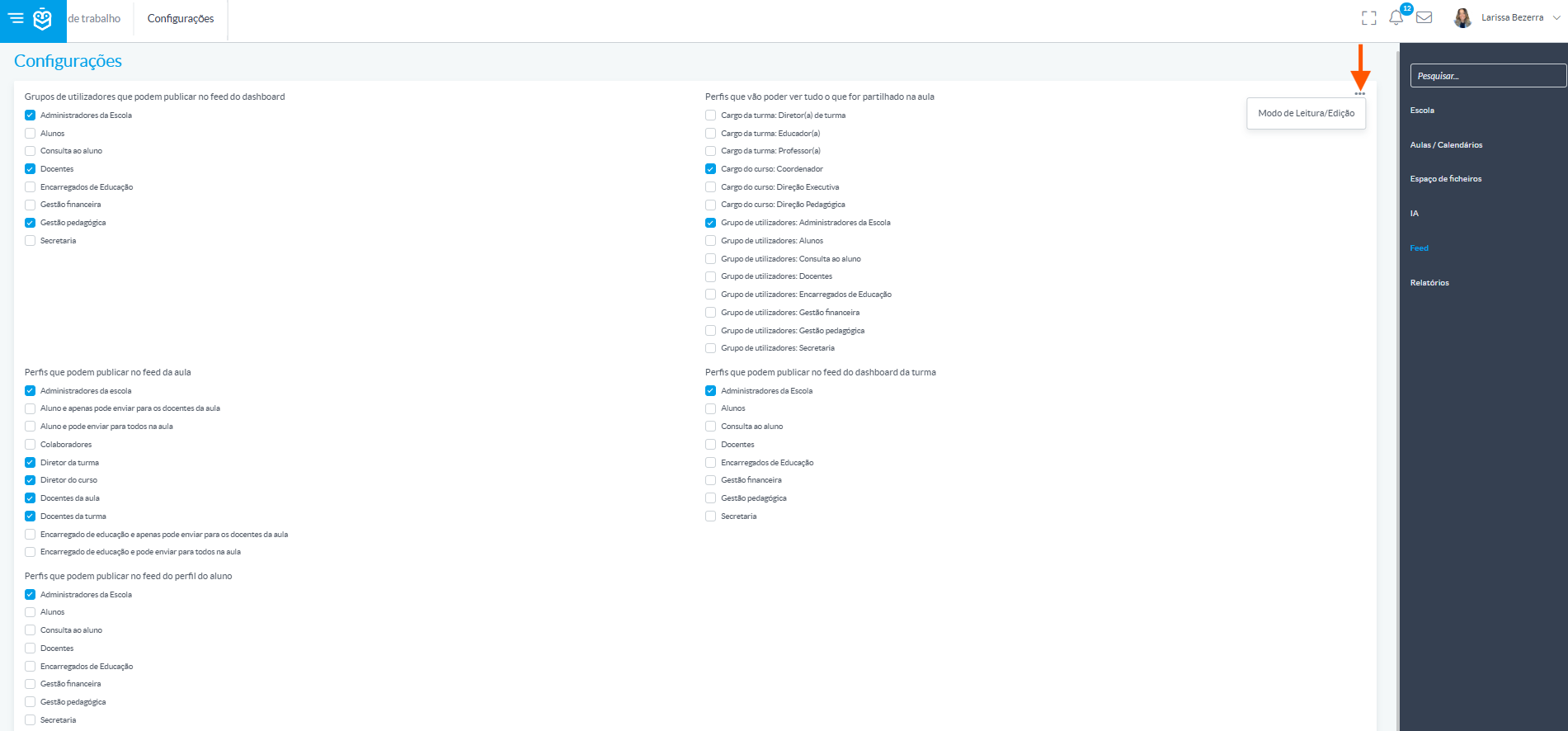 Select the profiles that will be allowed to publish in each context (e.g., teachers, homeroom teachers, coordinators, etc.).
The school may also allow other profiles, such as students or guardians, to publish in the feed if it aligns with its pedagogical approach.With well-defined rules, the feed becomes a secure and effective tool for school communication. Proper permission management ensures that each post reaches the right audience.
Was this article helpful?
That’s Great!
Thank you for your feedback
Sorry! We couldn't be helpful
Thank you for your feedback
Feedback sent
We appreciate your effort and will try to fix the article