This article explains how to configure student performance indicators in e-Schooling, allowing teachers to continuously record observed skills, attitudes, and behaviors during lessons. These indicators complement formal assessments and help build a more complete picture of each student’s learning journey.
1. What Are Lesson Indicators?
Lesson indicators are records made by teachers during lessons that reflect student performance in areas such as:

- Class
- Absences
- Values (e.g., empathy, solidarity)
- Social interaction
These records are visible in the assessment grid and help justify the grades assigned.2. Where Can Indicators Be Configured?
Indicators can be configured in three ways:
- At the course level (template): applied to all classes created from that course
- At the class level: specific to each subject, term, or academic year
- Globally: via pedagogical settings, applied to all classes in the school
3. How to Configure Indicators in a Class
Go to:
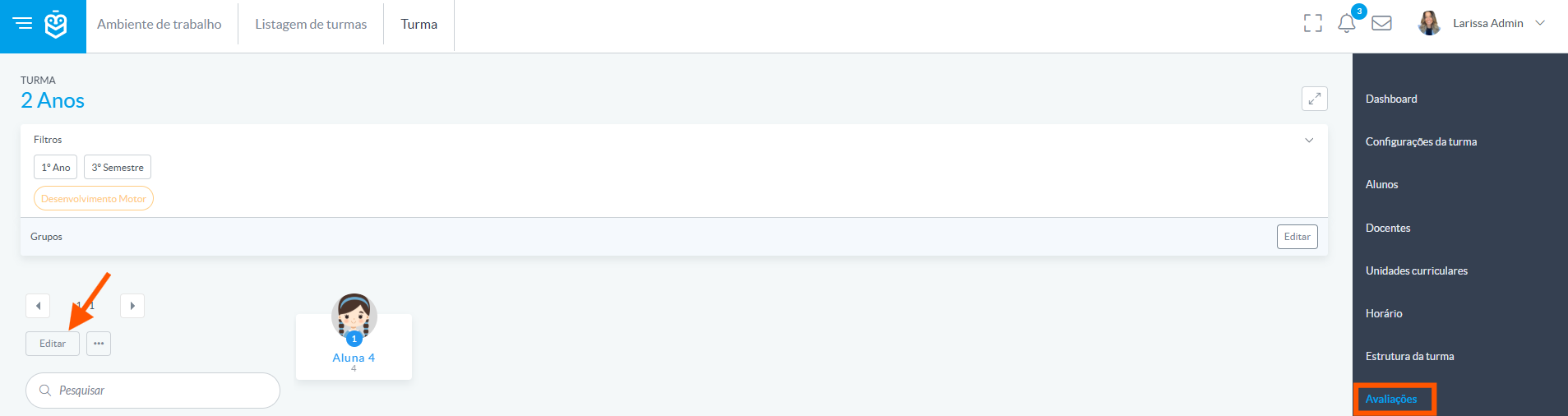
Class > Assessments, then click Edit in the assessment grid
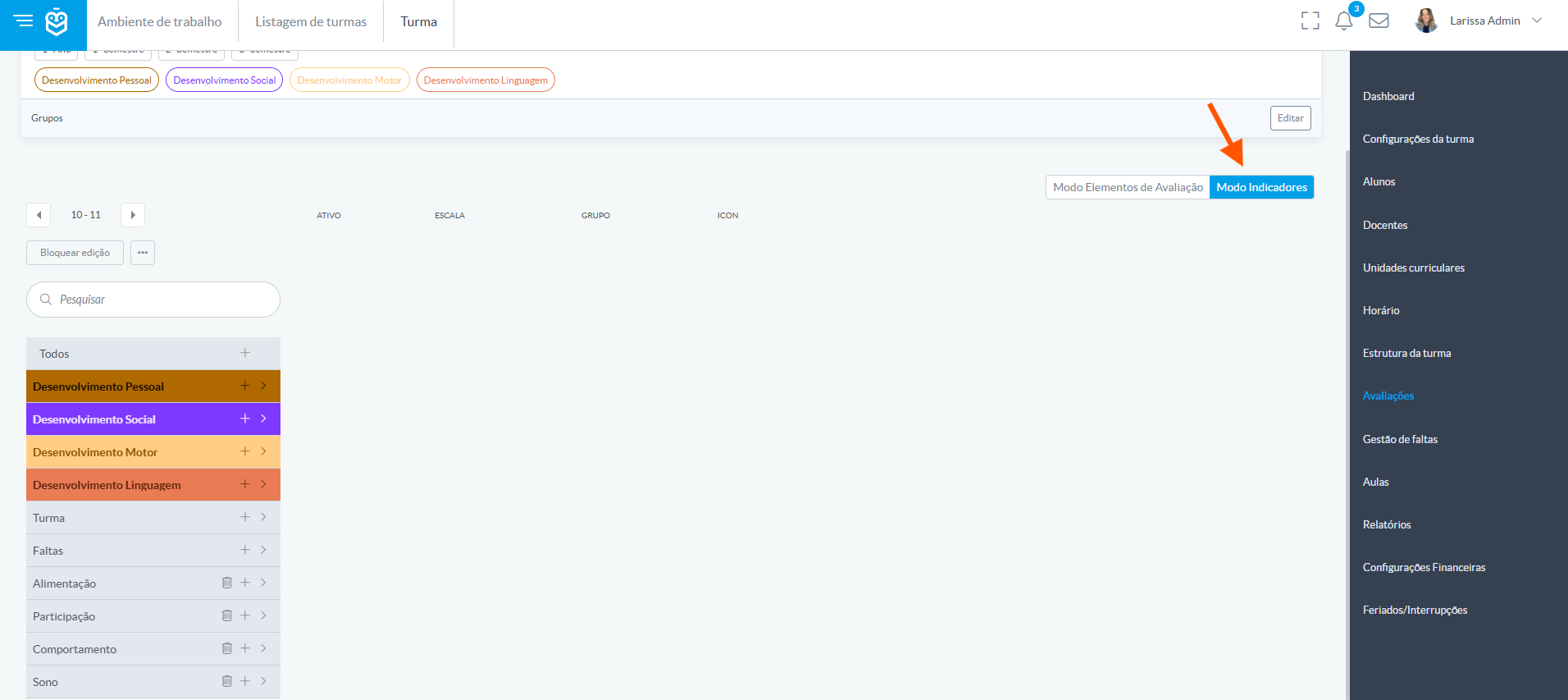
Switch to Indicators mode
Create an indicator group (e.g., Sleep)
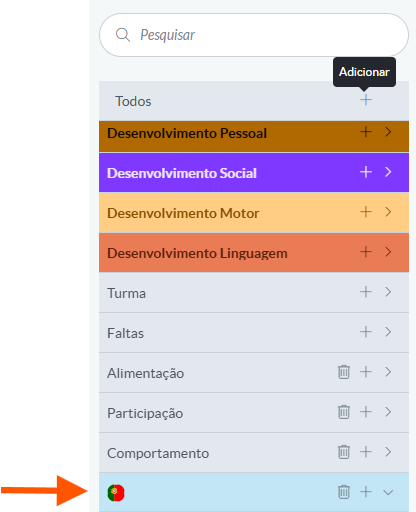
Add the desired indicators
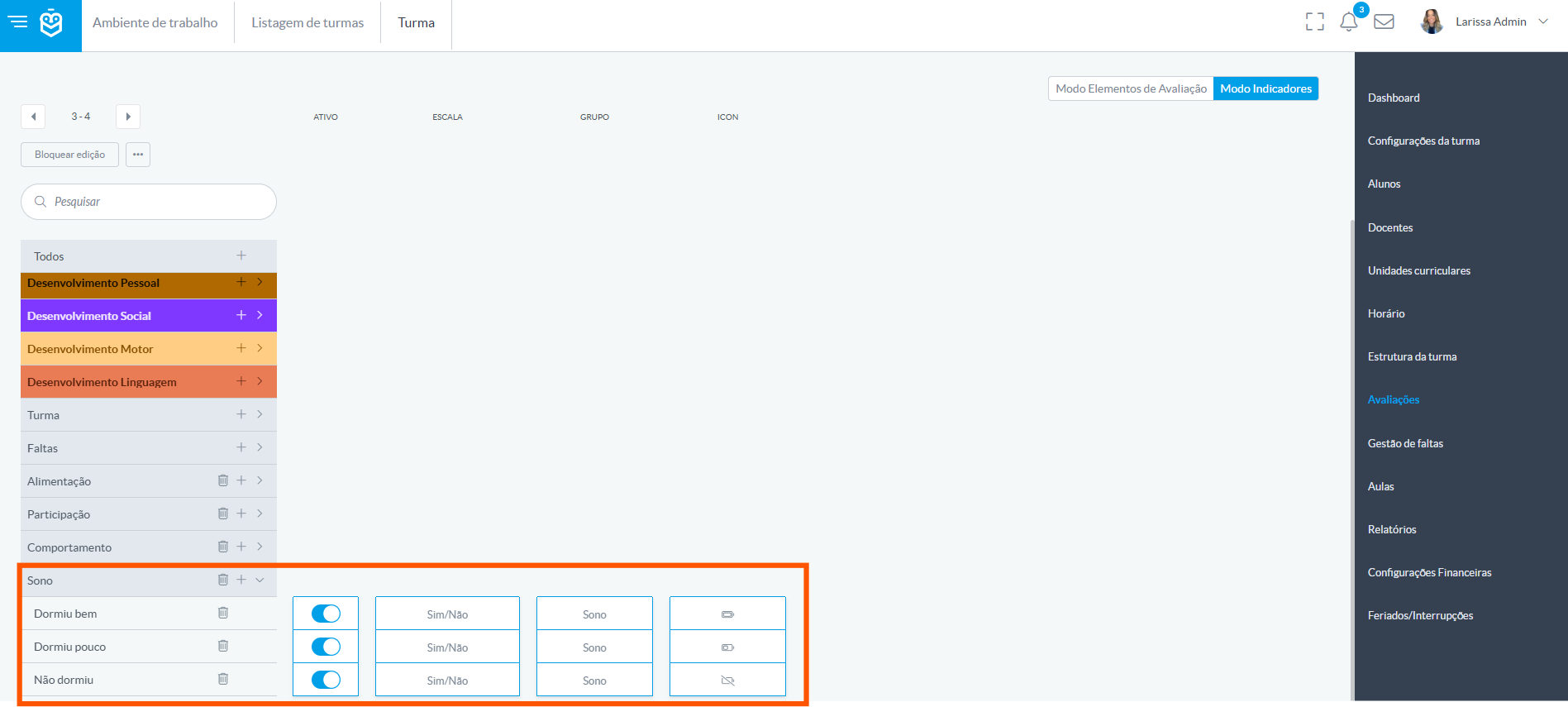
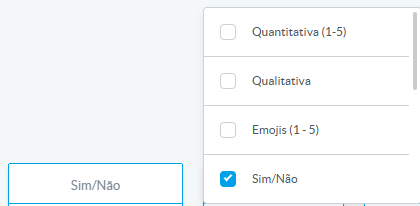
Define the name and scale (emoji, yes/no, qualitative, etc.)
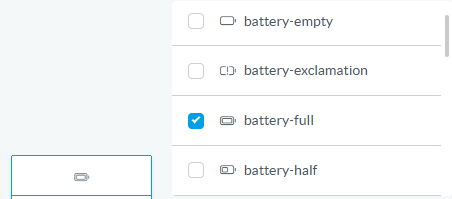
Associate an icon for easier visualization
Mark as active so it becomes available in lesson mode

Configured indicators will appear in lesson mode for continuous recording and will be summarized in the assessment grid.
4. Global Indicator Configuration
To define indicators that apply across the entire school:
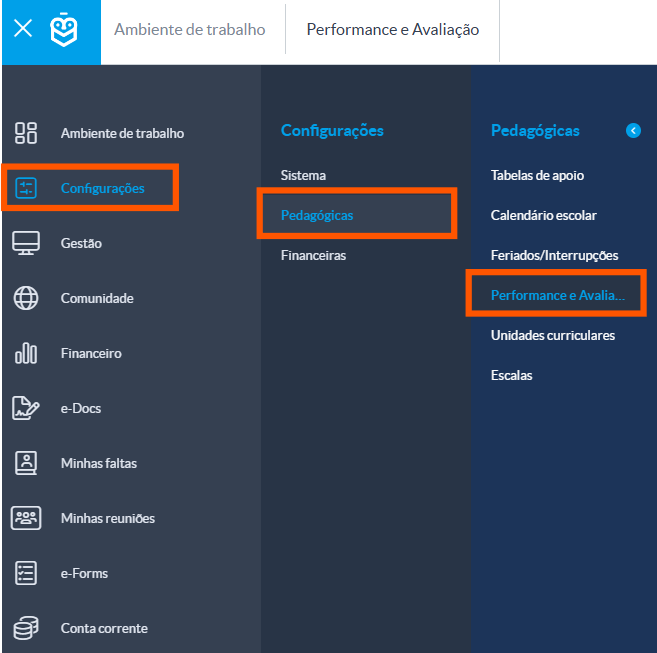
Go to Settings > Pedagogical Settings > Performance and Assessments
Create indicator groups (e.g., School Values)
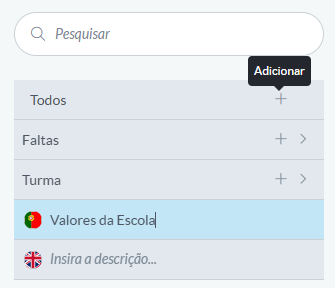
Add the desired indicators
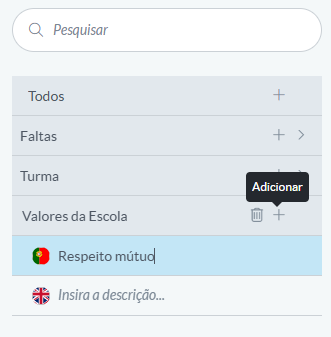
These will be automatically inherited by all courses, classes, and subjects.
This is ideal for schools with standardized educational projects or that value certain behaviors across all activities.This is ideal for schools with standardized educational projects or that value certain behaviors across all activities.
Configuring indicators in e-Schooling allows teachers to monitor student development beyond formal grades. With consistent and visual records, educators can build a richer and more evidence-based assessment aligned with the school’s values and educational goals.
Was this article helpful?
That’s Great!
Thank you for your feedback
Sorry! We couldn't be helpful
Thank you for your feedback
Feedback sent
We appreciate your effort and will try to fix the article