e‑Schooling allows you to quickly identify which users have not yet completed their account activation process in other words, who have not confirmed access to the system.
This procedure is useful for monitoring pending users and resending activation instructions whenever necessary.
1. Access the User Management Area
In the main menu, go to:
Settings → System → User Management
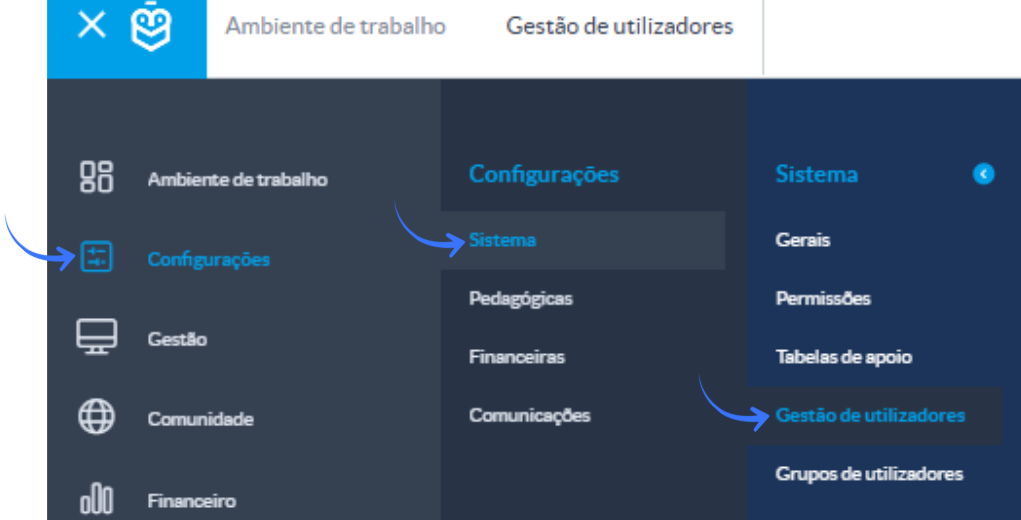
A list with all system users will be displayed.
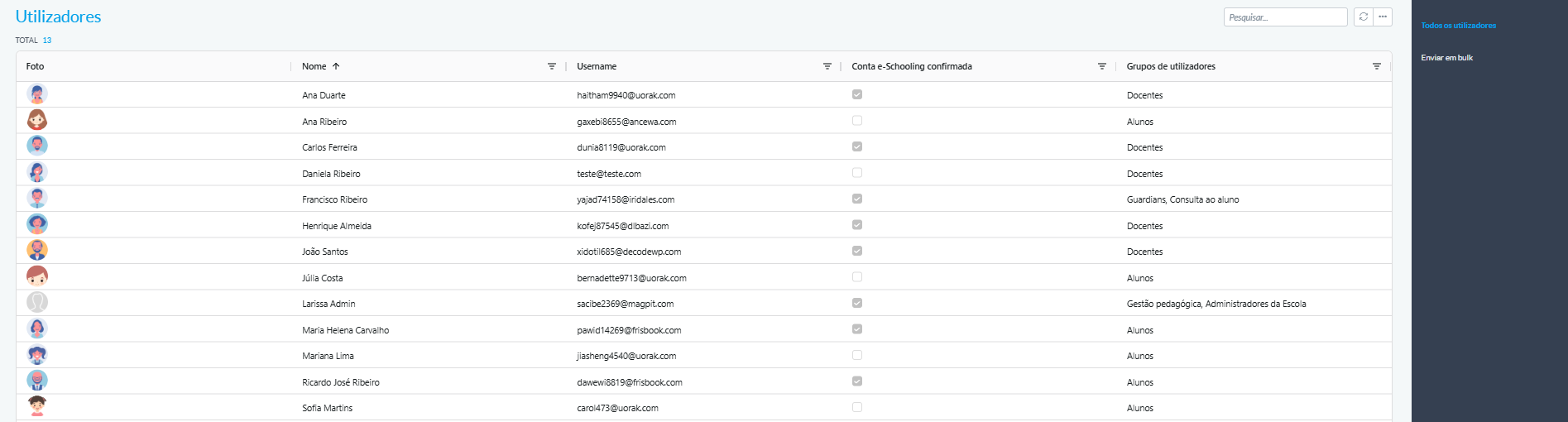
2. Filter Users Who Have Not Confirmed Access
In the user list, locate the column “e‑Schooling Account Confirmed” and select “False.”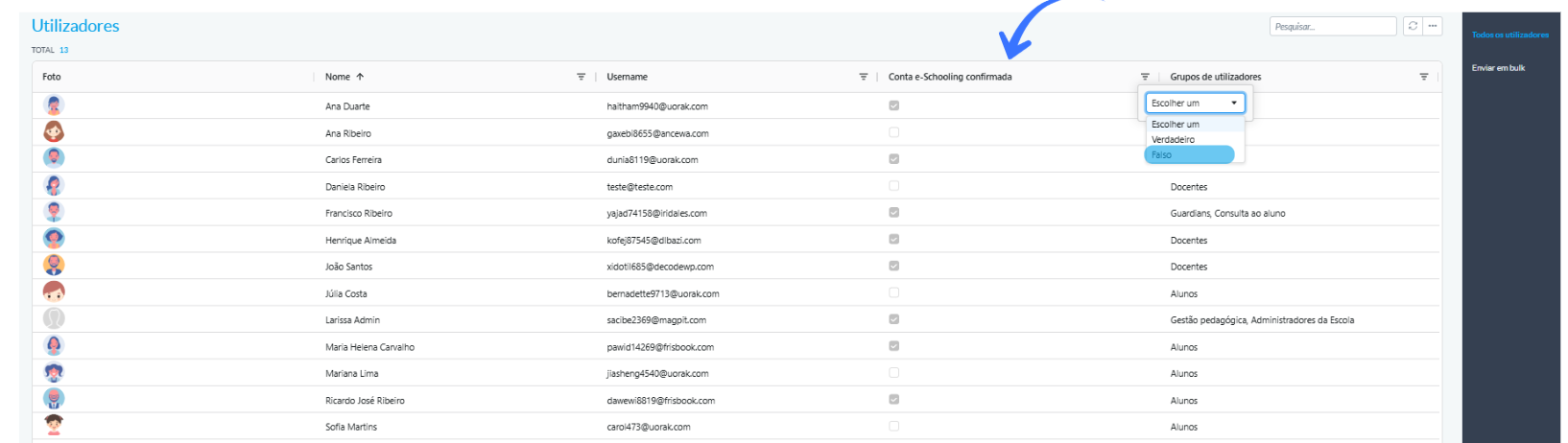
This filter displays all users who have not yet completed the account activation process.
To narrow the search to a specific group such as: Students, Teachers, Staff Members, or Guardians use the “User Group” column and type the desired group.

After applying the filter, the list will show all users who have not yet finished the activation process.
3. Actions Available After Identifying Pending Accounts
Once you have located the users who have not confirmed access, you can:
- Resend the account activation instructions
- Check whether the email address is correct
- Guide the user to open the activation link and set their password
Was this article helpful?
That’s Great!
Thank you for your feedback
Sorry! We couldn't be helpful
Thank you for your feedback
Feedback sent
We appreciate your effort and will try to fix the article