This article explains how teachers can assign homework directly from lesson mode in e-Schooling, promoting continuity in the learning process beyond the classroom.
1. Access Lesson Mode
To assign homework, you must access the lesson mode of the relevant lesson:
Go to: Management > Lessons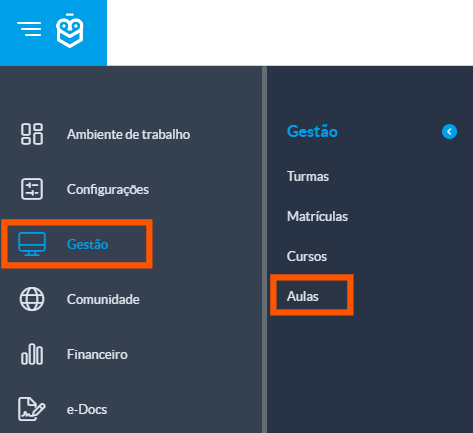
Use the filters to locate the desired lesson and click on it to open the details
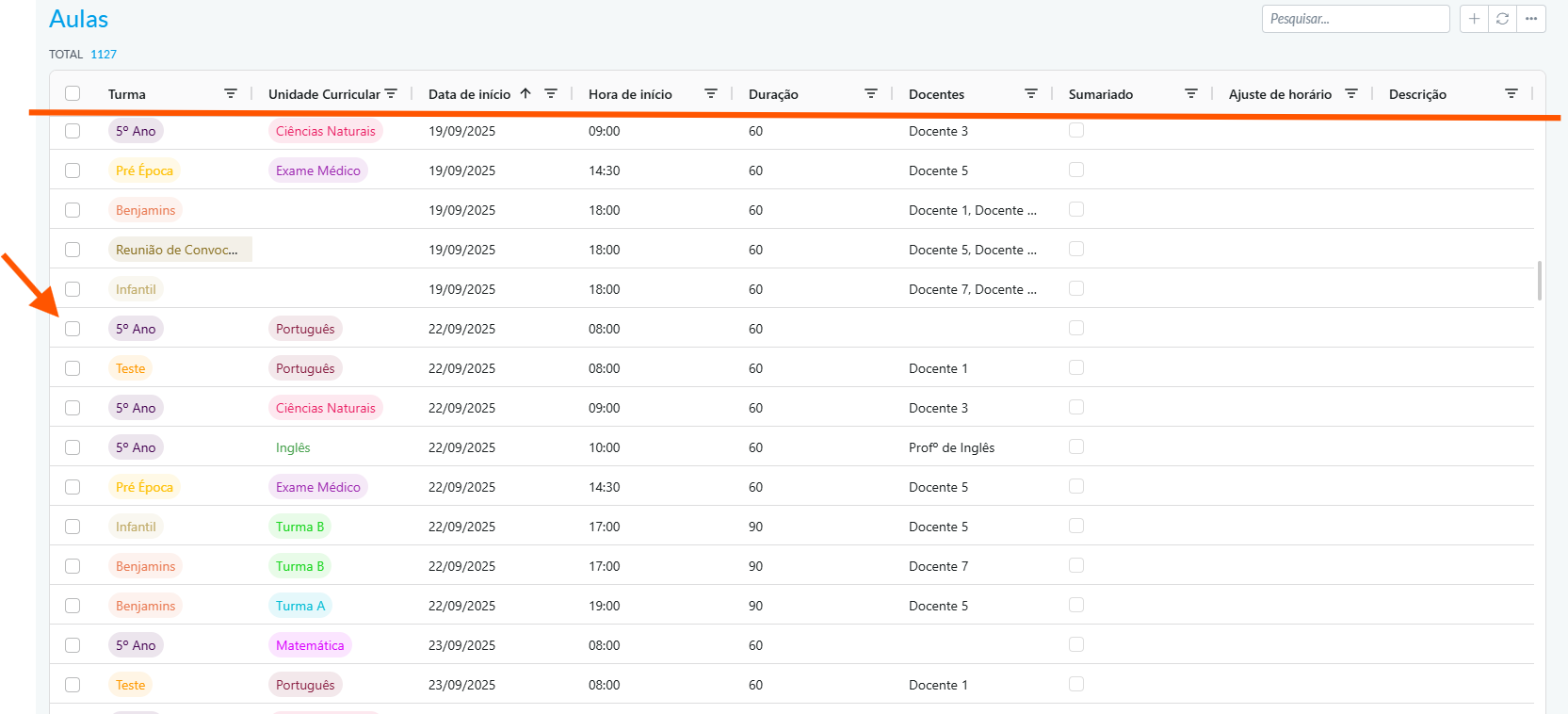
2. Access the Homework Feature
Within lesson mode, click the “New Homework” button
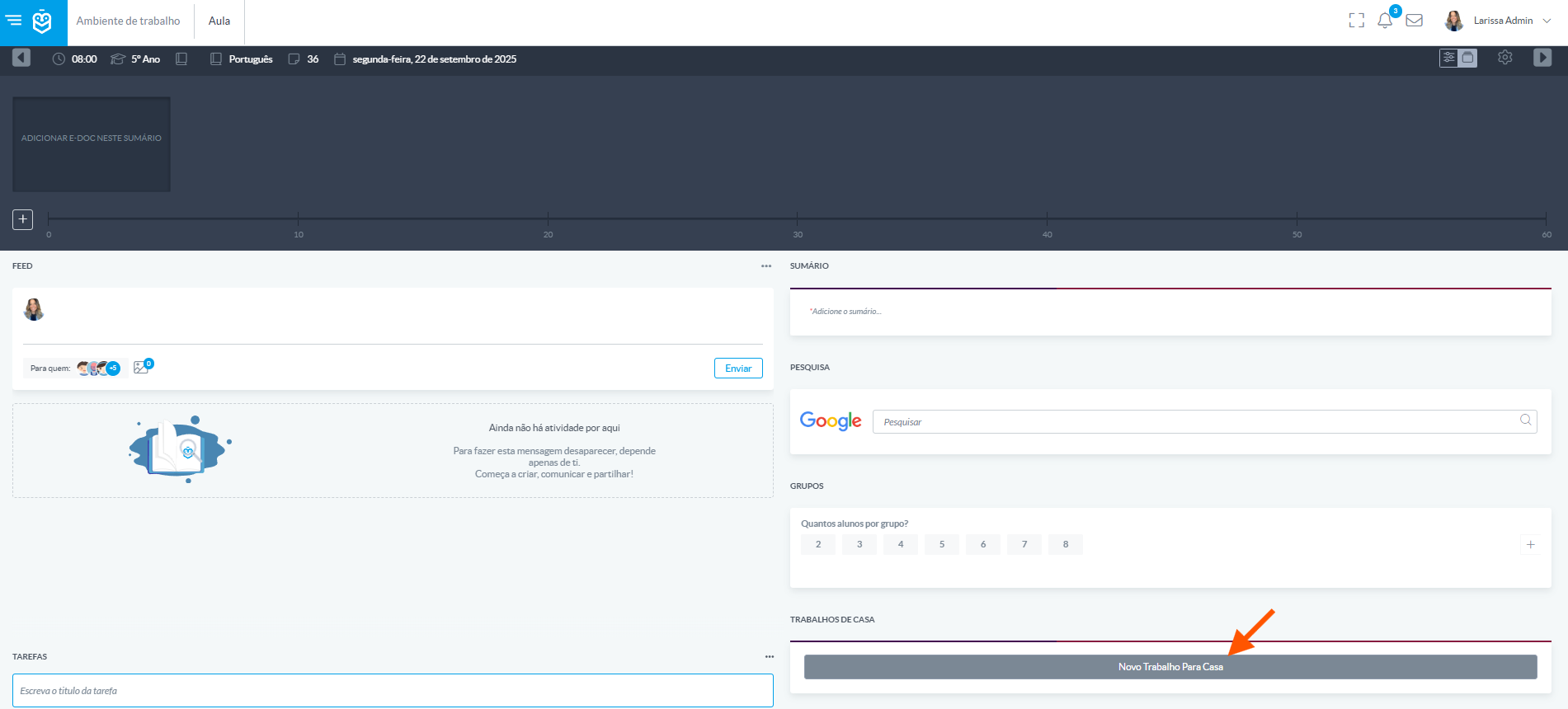
After clicking “Homework”, an interface will appear with the following fields:
- Title: Name of the task
- Description: Detailed instructions on what needs to be done
- Due Date: Deadline for submission
- Assigned to: Select the students who should complete the task
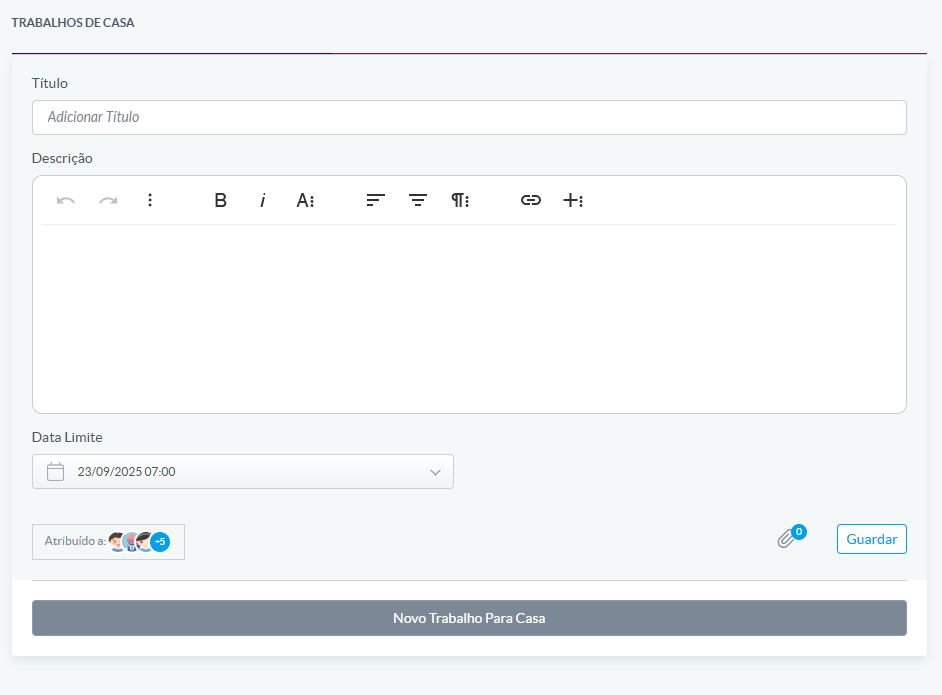
After filling in the details, click Save.
Once the homework is published, students receive an automatic notification. The task becomes available in each student’s personal area, where they can view the details and track the deadline.The homework feature in e-Schooling enables effective communication between teachers and students, fostering autonomy and organization in the learning process.
Was this article helpful?
That’s Great!
Thank you for your feedback
Sorry! We couldn't be helpful
Thank you for your feedback
Feedback sent
We appreciate your effort and will try to fix the article