e-Schooling allows teachers to create work groups directly within lesson mode, making it easier to organize collaborative activities among students.
1. How to Access Lesson Mode
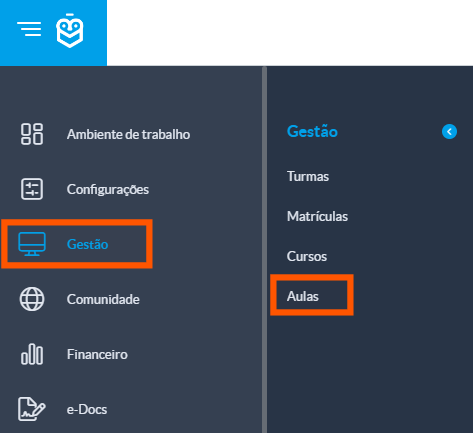
To create work groups, you must access the lesson mode of the specific lesson:
Go to: Management > Lessons
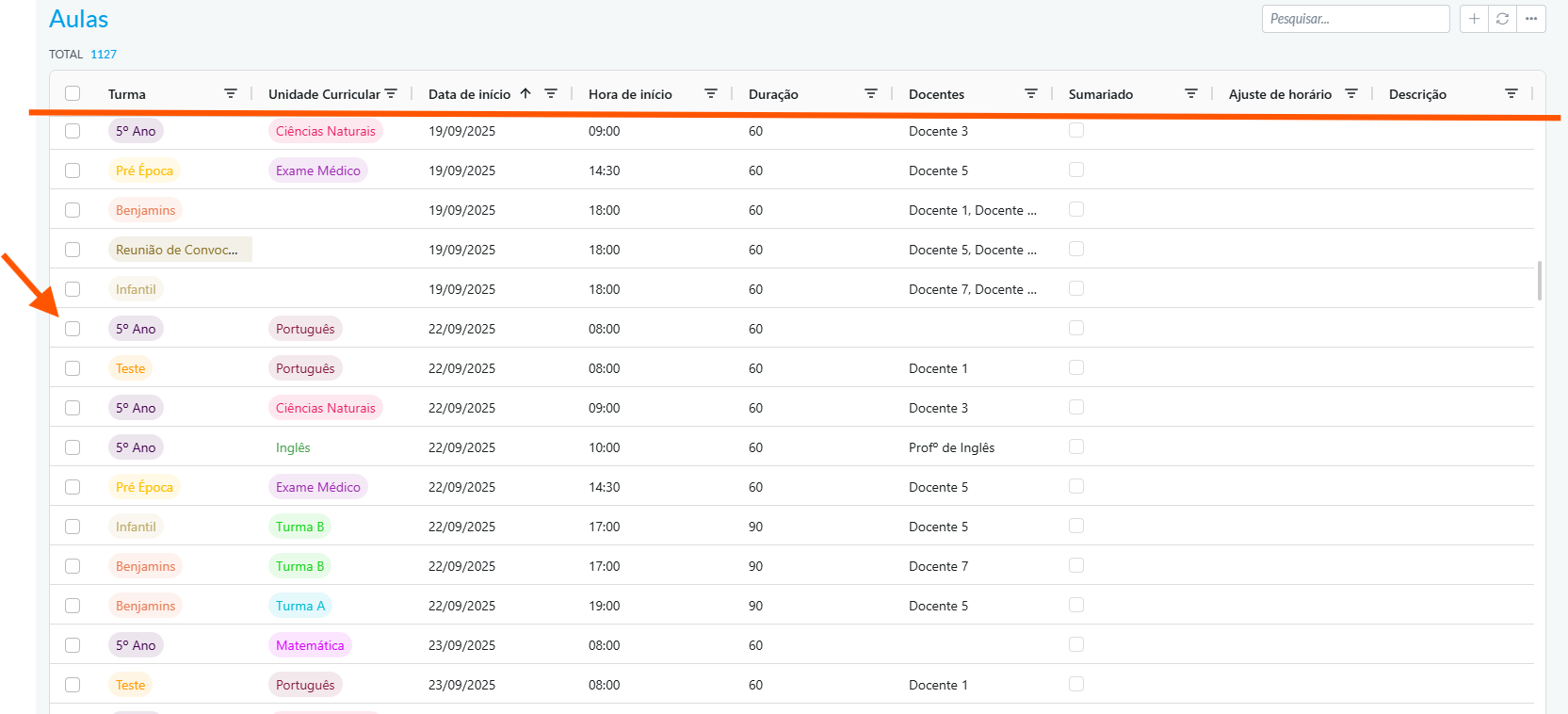
Use the filters to locate the desired lesson and click on it to open the details.
2. Generate and Adjust Groups
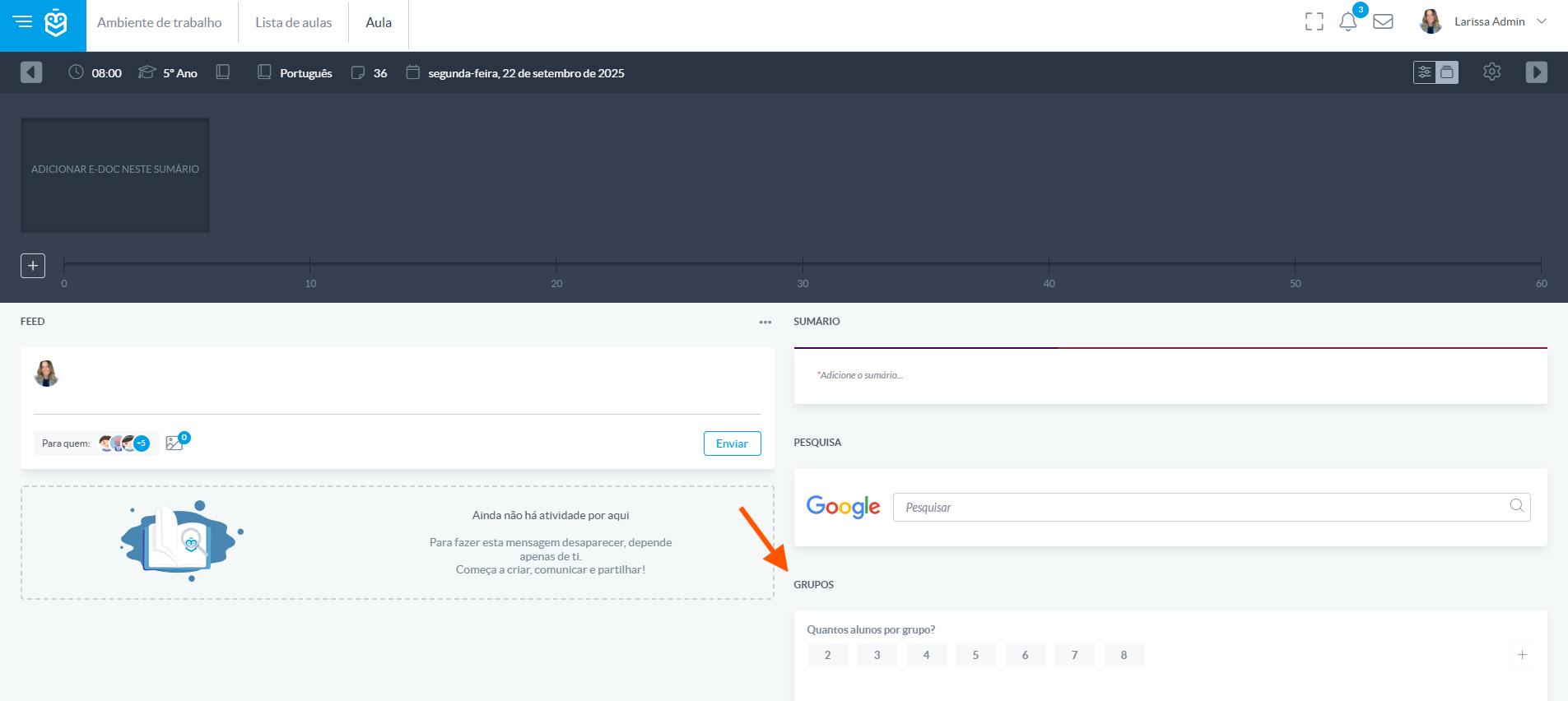
Once in lesson mode, the teacher will find the “Groups” option at the top right of the interface. This feature allows the division of students into work groups.
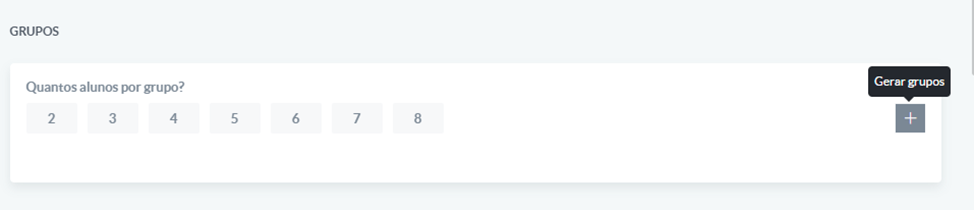
Define the number of students per group
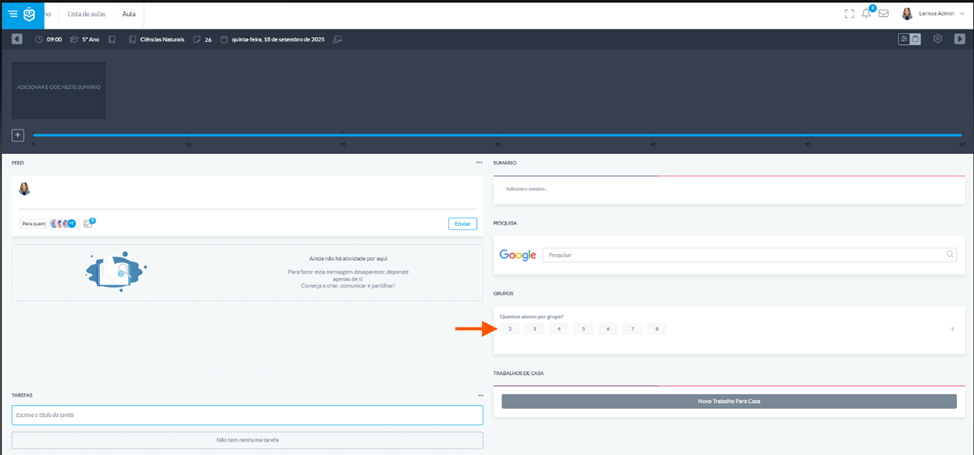
Click “Generate Groups” and the system will automatically create the groups. This division is random, based on the total number of students present in the lesson.
Teachers have full flexibility to adjust the groups according to the dynamics of the lesson:
- Drag students between groups to reorganize
- Rename groups by clicking on the group name
- Add or remove students as needed
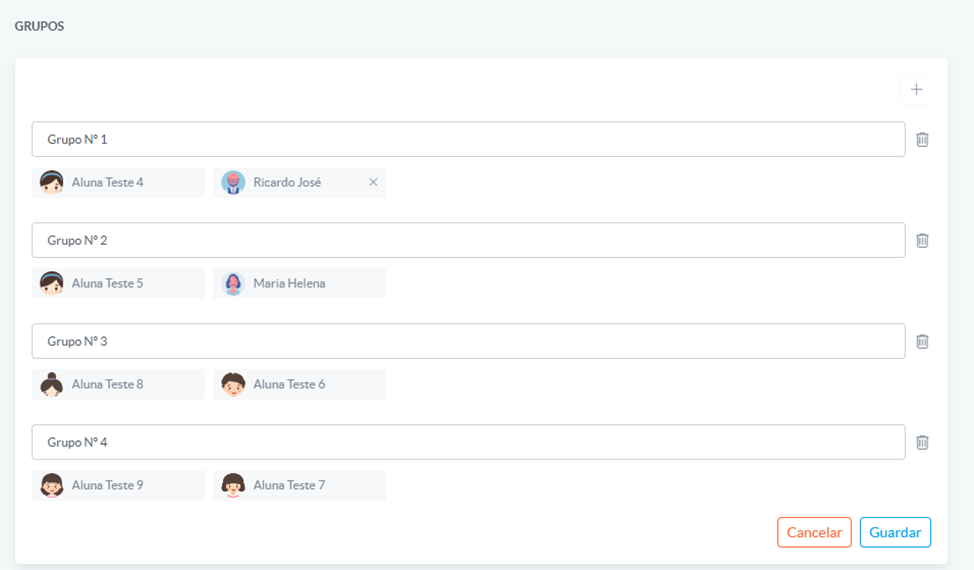
The group creation feature in lesson mode offers dynamic and flexible class management. While the system suggests an automatic division, teachers can adapt the groups to meet the pedagogical goals of the lesson, promoting collaborative work and active student participation.
Was this article helpful?
That’s Great!
Thank you for your feedback
Sorry! We couldn't be helpful
Thank you for your feedback
Feedback sent
We appreciate your effort and will try to fix the article