In lesson mode, e-Schooling offers the Cody Suggestions feature, which provides practical activities and guiding questions related to the lesson topic.
By entering the subject in the Summary field, the system automatically displays suggestions that can be used to make the lesson more dynamic, encourage active student participation, and stimulate critical thinking. These ideas can be applied in the lesson feed, in tasks, or in classroom discussions.
1. How to Access Suggestions in Lesson Mode
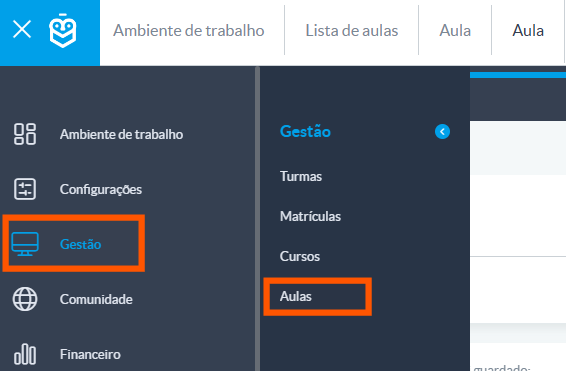
From the side menu, click on Lessons
Use the filters to locate the desired lesson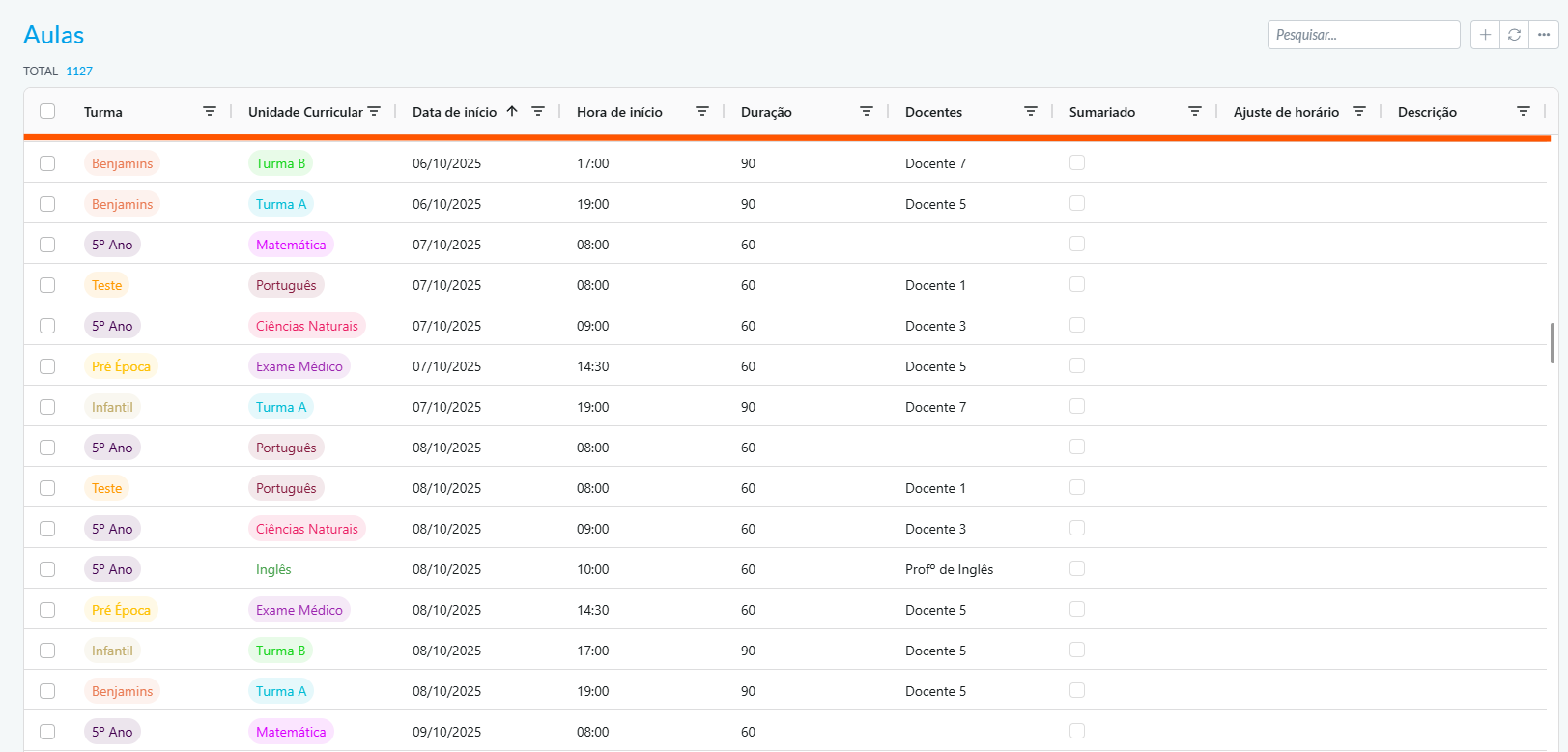
Click on the lesson to open its details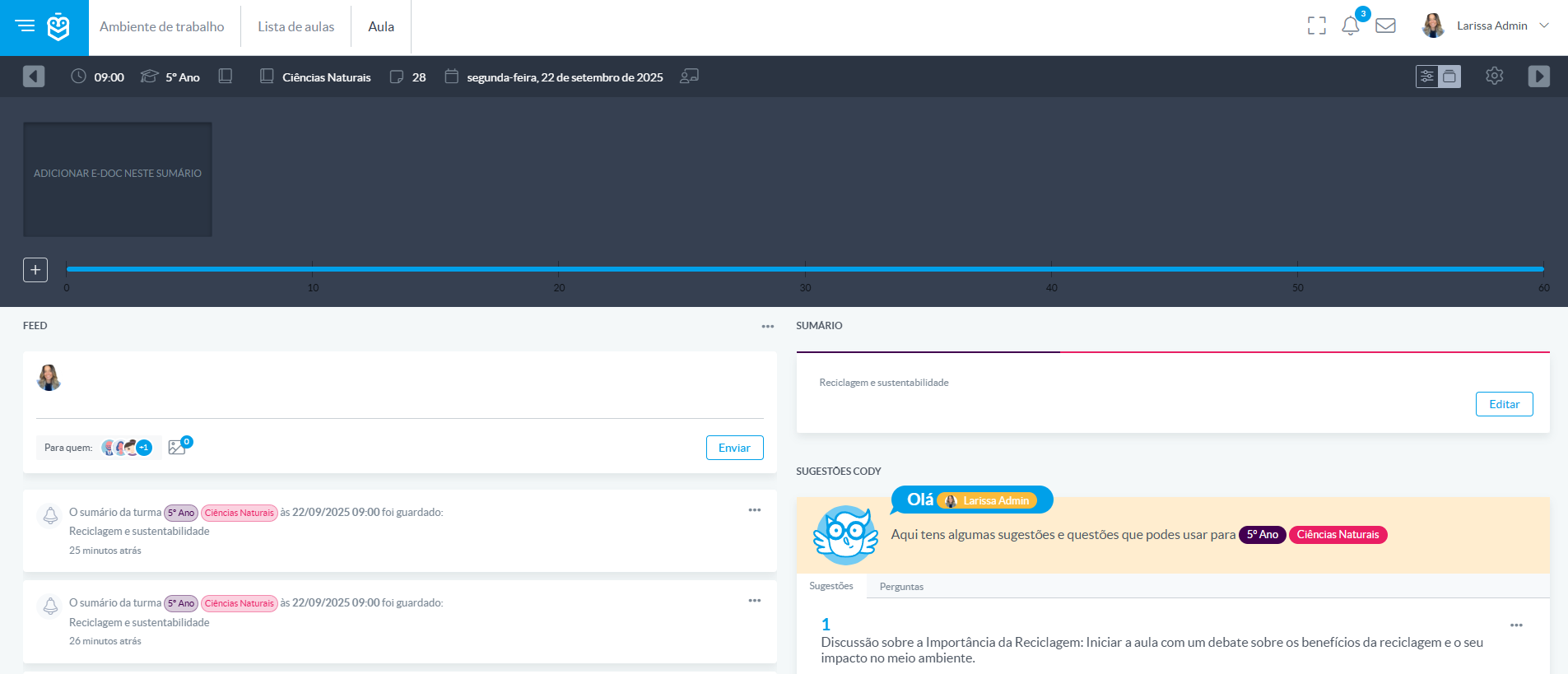
2. Accessing the Cody Suggestions Feature
Within lesson mode, after defining the Lesson Summary, you will find the Cody Suggestions section, which includes two tabs:
- Suggestions: ideas for practical activities
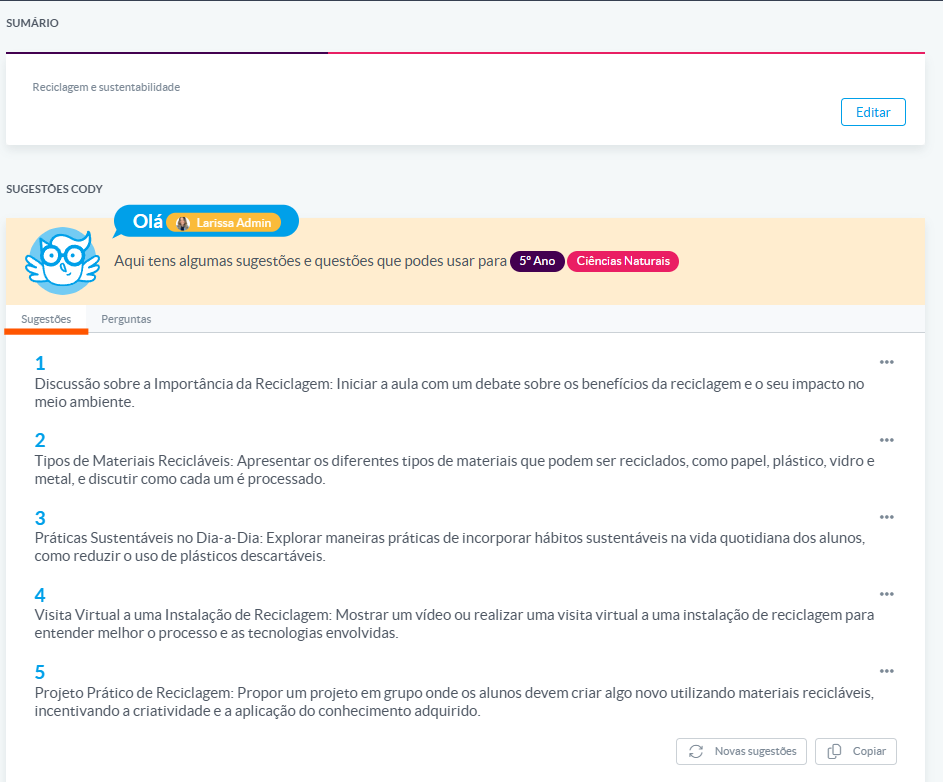
- Questions: prompts for debate or reflection
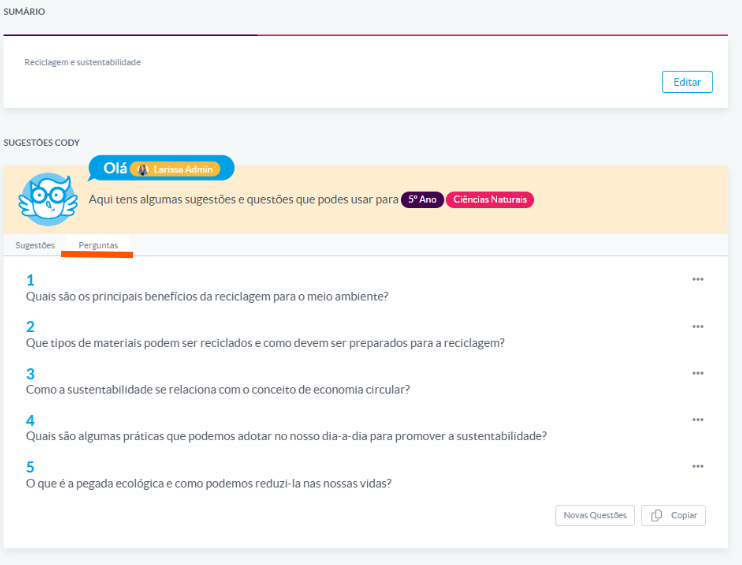
The system analyzes the indicated topic and automatically provides content adapted to the chosen subject, helping teachers save time in preparation and making the lesson more dynamic and interactive.
Was this article helpful?
That’s Great!
Thank you for your feedback
Sorry! We couldn't be helpful
Thank you for your feedback
Feedback sent
We appreciate your effort and will try to fix the article