e-Schooling now automatically detects schedule conflicts when creating or editing activities assigned to teachers (lessons, events, or meetings).
This feature was developed to ensure that a teacher is not assigned to multiple activities occurring at the same time, promoting efficient time management and preventing overlaps that could compromise school planning.
1. Automatic Conflict Check
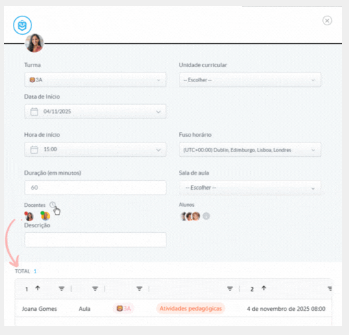
Whenever a schedule line is opened, the system analyzes each teacher’s availability and clearly indicates if there is a conflict.
If a conflict exists, you can immediately view the issue through an organized list of collisions.
2. How Conflict Detection Works
When you open the schedule page and begin creating or editing a line, the system automatically starts checking teacher availability.
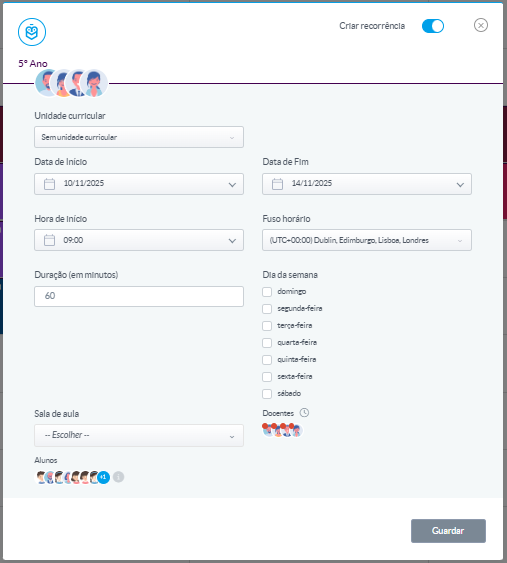
All teachers appear with a red dot and a gear icon next to their name.
The gear icon indicates that the verification is in progress.Once it disappears:
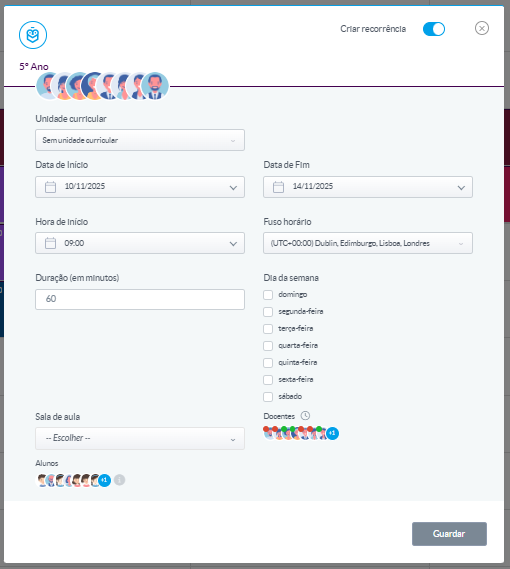
- Teachers without conflicts change to a green dot.
- Teachers with conflicts remain with a red dot.
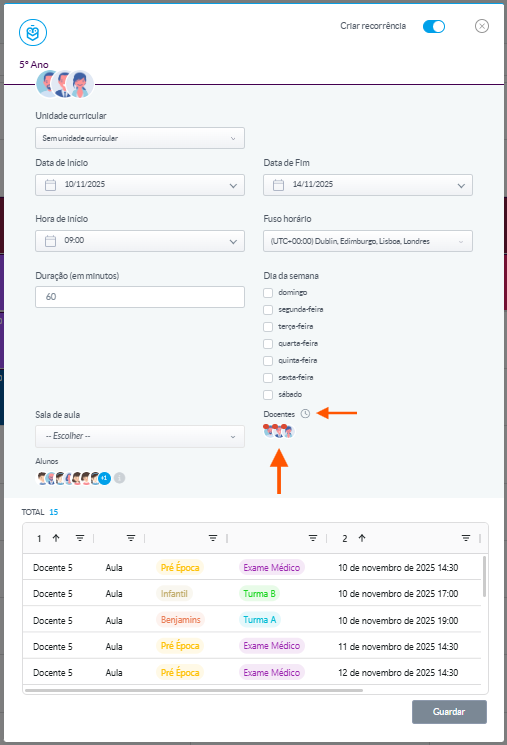
When selecting a teacher with a conflict:
An additional icon appears, which, when clicked, displays a table with the list of identified collisions.
The system waits 3 seconds after the last change and, if no further modifications are made, automatically performs a new conflict check.With automatic schedule conflict detection, e-Schooling reinforces its commitment to smarter and more efficient school management.
This feature helps prevent errors before they happen, ensuring that teachers are always correctly allocated and that planning proceeds smoothly.
Was this article helpful?
That’s Great!
Thank you for your feedback
Sorry! We couldn't be helpful
Thank you for your feedback
Feedback sent
We appreciate your effort and will try to fix the article