e‑Schooling allows you to send email alerts to students and guardians who have overdue invoices. These alerts are sent to the email addresses configured in each entity’s profile and help remind responsible parties about documents that require payment.
This guide explains how to locate overdue invoices and how to send alerts, either individually or in bulk.
1. Access Overdue Invoices
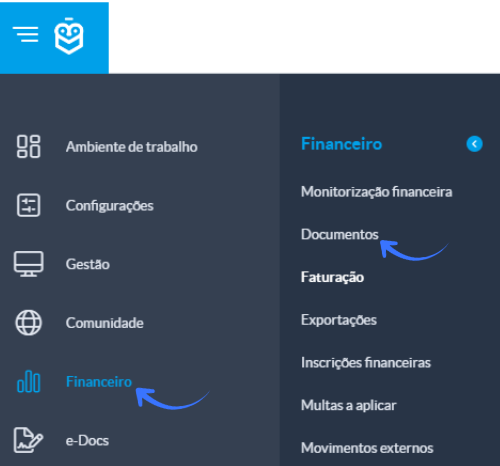
Go to Finance > Documents
In the document list, select the Invoices section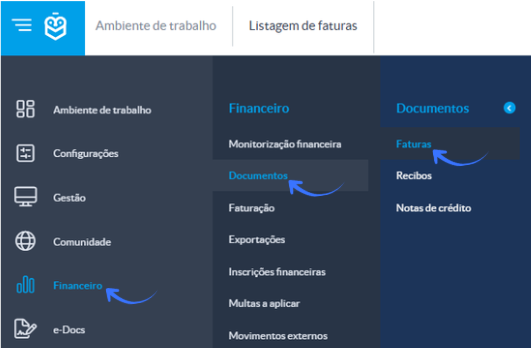
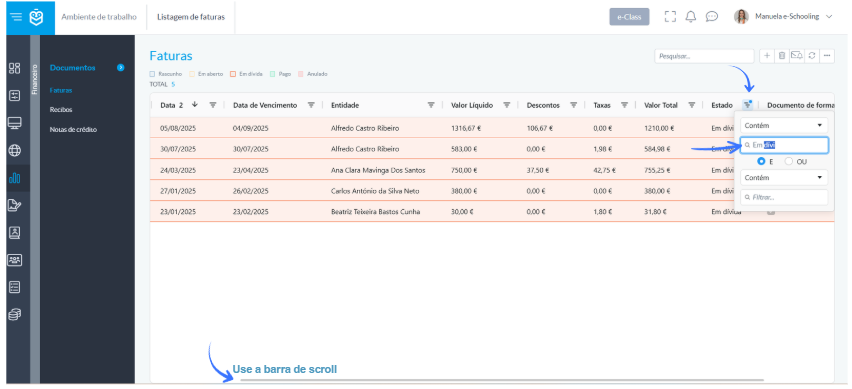
Next, locate the Status column and apply the Overdue filter so that only invoices requiring payment are displayed
2. Exclude Training Documents (optional)
If training or testing sessions generated fictitious documents and you do not want to include them in the alert:
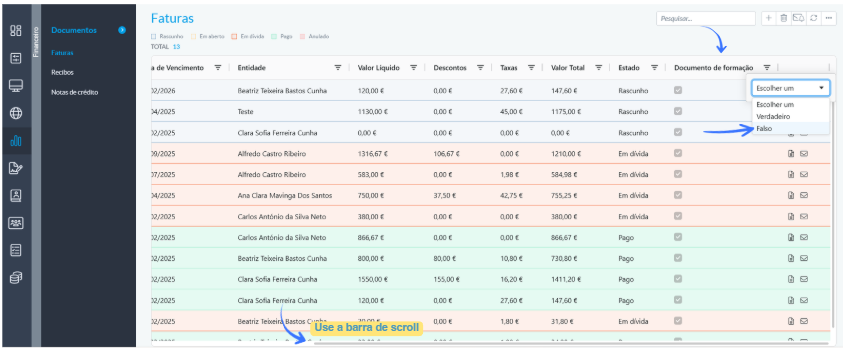
- Use the Training Document filter
- Select False
This ensures that only real overdue invoices appear in the list.
3. Select the Invoices to Send
After applying the filters:
- Click the top checkbox to select all invoices in the list
- If there is any student who should not receive an alert, simply uncheck the box for that specific line
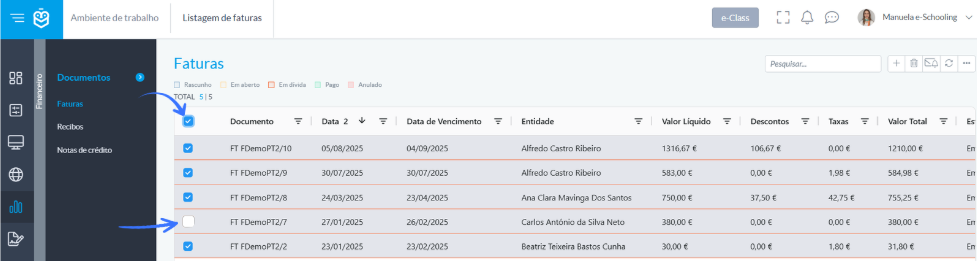
Even if test documents remain in the list, the system will not send alerts for entities without a registered email address.
4. Send the Alert
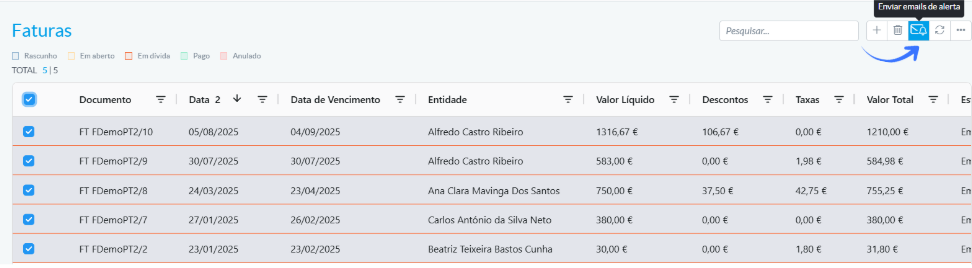
With the invoices selected, click the “send alert emails” icon.
A window will open where you can customise:
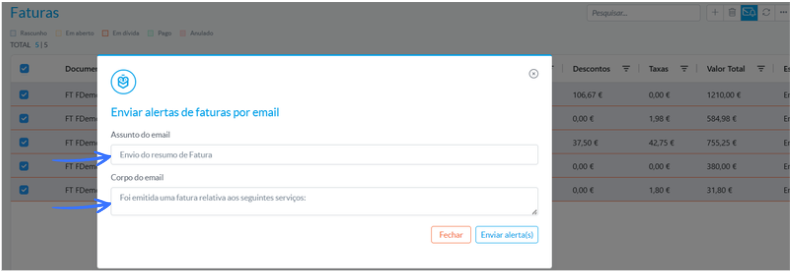
- The email subject
- The email body, which will appear before the automatic summary of the overdue amount
The text is fully customisable. Examples of information you may include:
- Desired payment date
- Urgent regularisation request
- School identification (although the email is already sent as e‑Schooling)
The summary of outstanding amounts is always added automatically by the system.
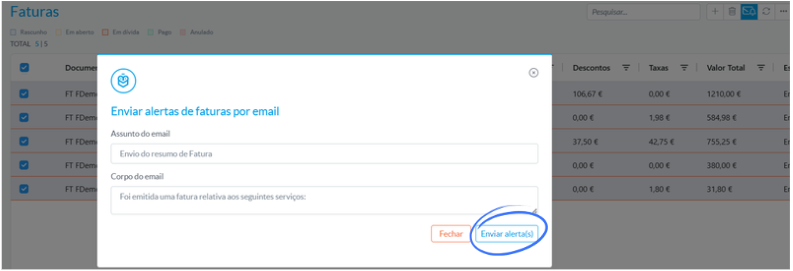
After editing the content, click Send alert.
5. What Happens After Sending
Once confirmed:
- e‑Schooling automatically sends the email to all entities associated with the selected invoices
- Only those with an email configured in their profile will receive the message
- The email includes both the personalised message and the automatic details of the overdue amounts
Sending overdue invoice alerts helps maintain clear communication with responsible parties and contributes to more efficient financial management, ensuring that everyone is promptly informed about outstanding documents.
Was this article helpful?
That’s Great!
Thank you for your feedback
Sorry! We couldn't be helpful
Thank you for your feedback
Feedback sent
We appreciate your effort and will try to fix the article