It is now possible to assign final statuses (such as Approved, Failed, Transferred) to multiple students at once, directly within the class’s curricular unit.
This improvement makes the process faster and reduces errors, as it only displays enrollments that do not yet have a final status assigned.
1. Access the Path to Assign Final Statuses in Bulk
To streamline the closing of the academic term, e-Schooling allows assigning final statuses to multiple students simultaneously, directly in the class’s curricular unit.
From the main menu, follow this path:
Classes > Curricular Unit > Select the Unit > Students Enrolled in the Curricular Unit

2. How to Assign Final Statuses in Bulk
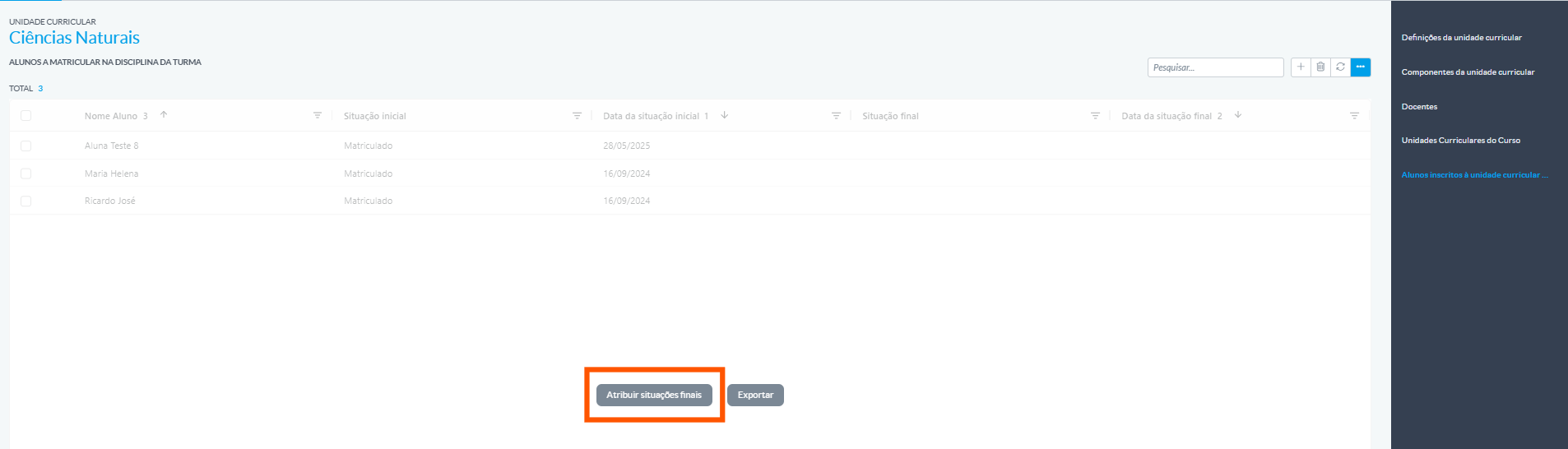
After accessing the curricular unit and viewing the enrolled students, follow these steps:
Click the “...” icon
Select the action “Assign Final Status in Bulk”
This option will open a modal window to perform the operation.
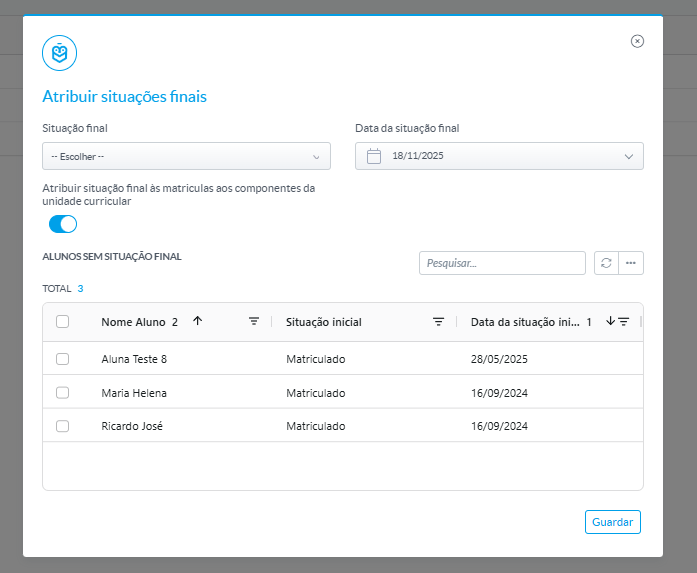
Review the Enrollment List
The modal will display only the enrollments that do not yet have a final status assigned, ensuring clarity in the process.
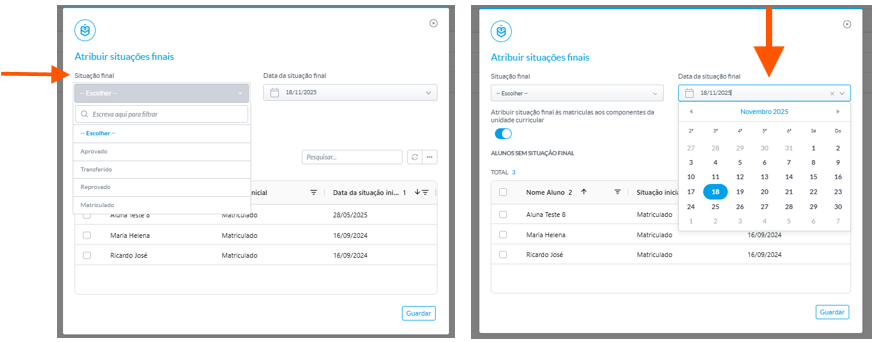
Set the Final Status and Date
Choose the final status (e.g., Approved, Failed, Transferred) and indicate the corresponding date.
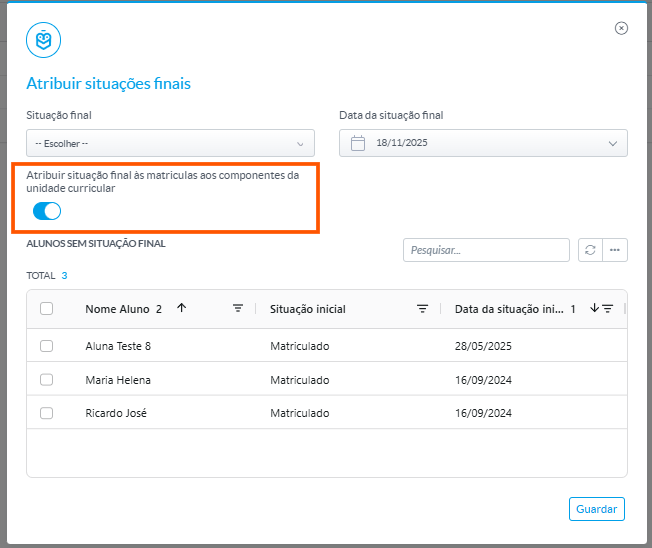
Activate the switch “Assign final status to the enrollments of the curricular unit components” if you want to apply the same status and date to components that do not yet have a final status.
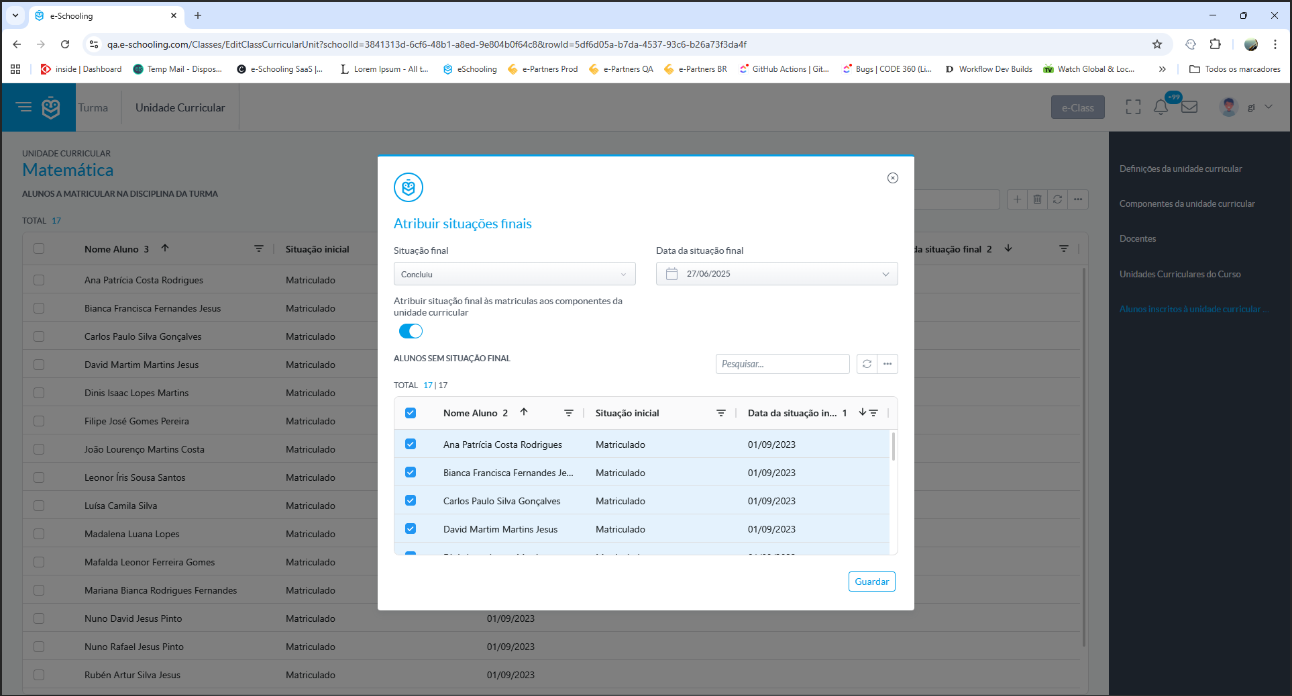
Click Save to complete. The system will automatically update the records.
The Assign Final Status in Bulk feature was designed to simplify and speed up the closing of the academic term, ensuring that all pending enrollments are processed quickly and in an organized manner.
Was this article helpful?
That’s Great!
Thank you for your feedback
Sorry! We couldn't be helpful
Thank you for your feedback
Feedback sent
We appreciate your effort and will try to fix the article