This article explains how the school’s administrative team can individually record teacher absences directly from the teacher’s profile using lesson mode. This feature is useful for specific situations where only one teacher is absent.
1. Access the Lesson
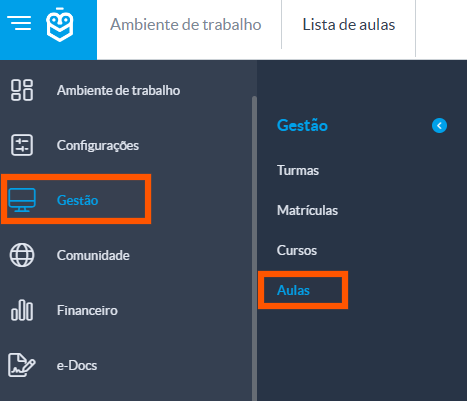
The school’s administrative team should access lessons through the side menu:
Go to: Management > Lessons
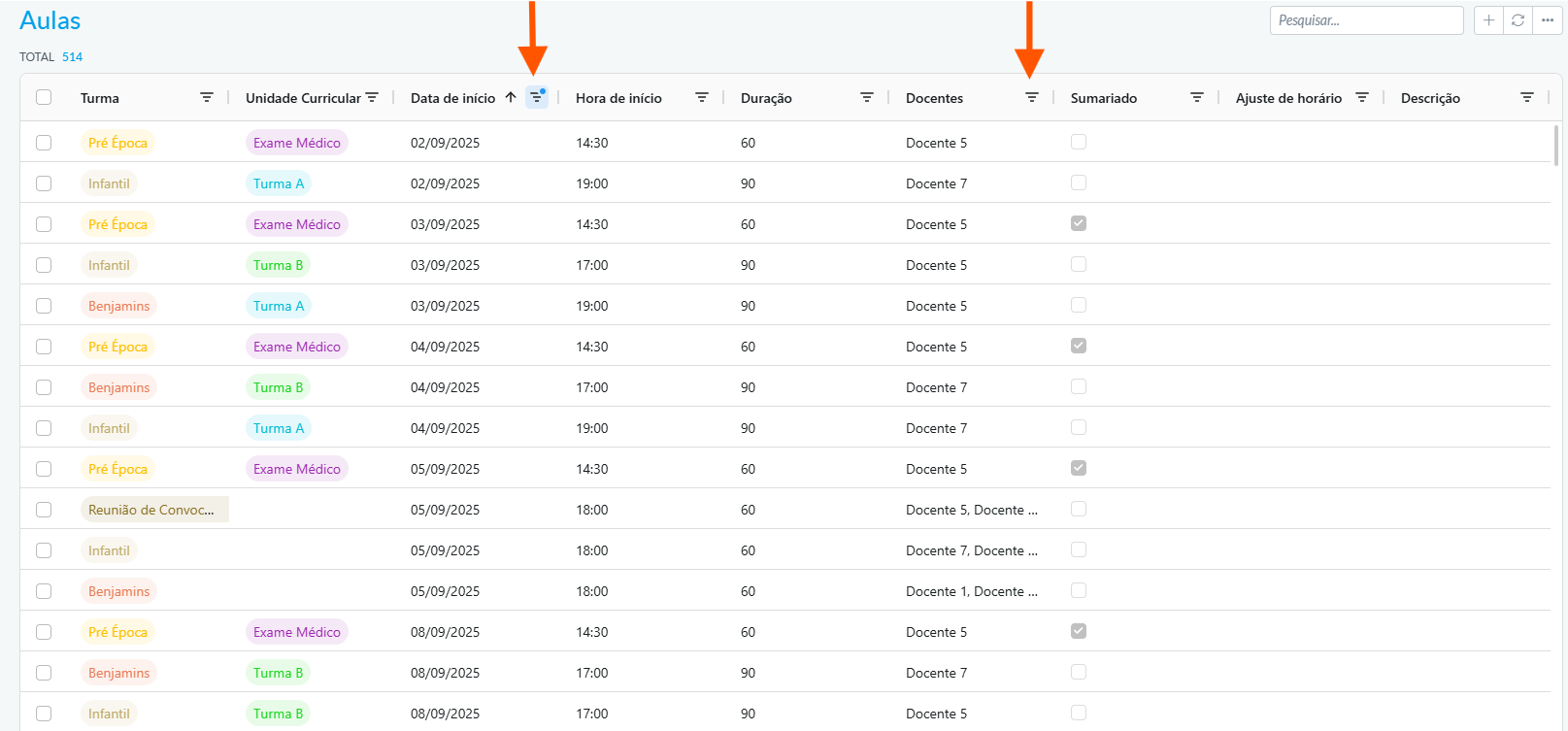
Use the available filters (such as start date or teacher) to locate the desired session
2. Record the Teacher’s Absence
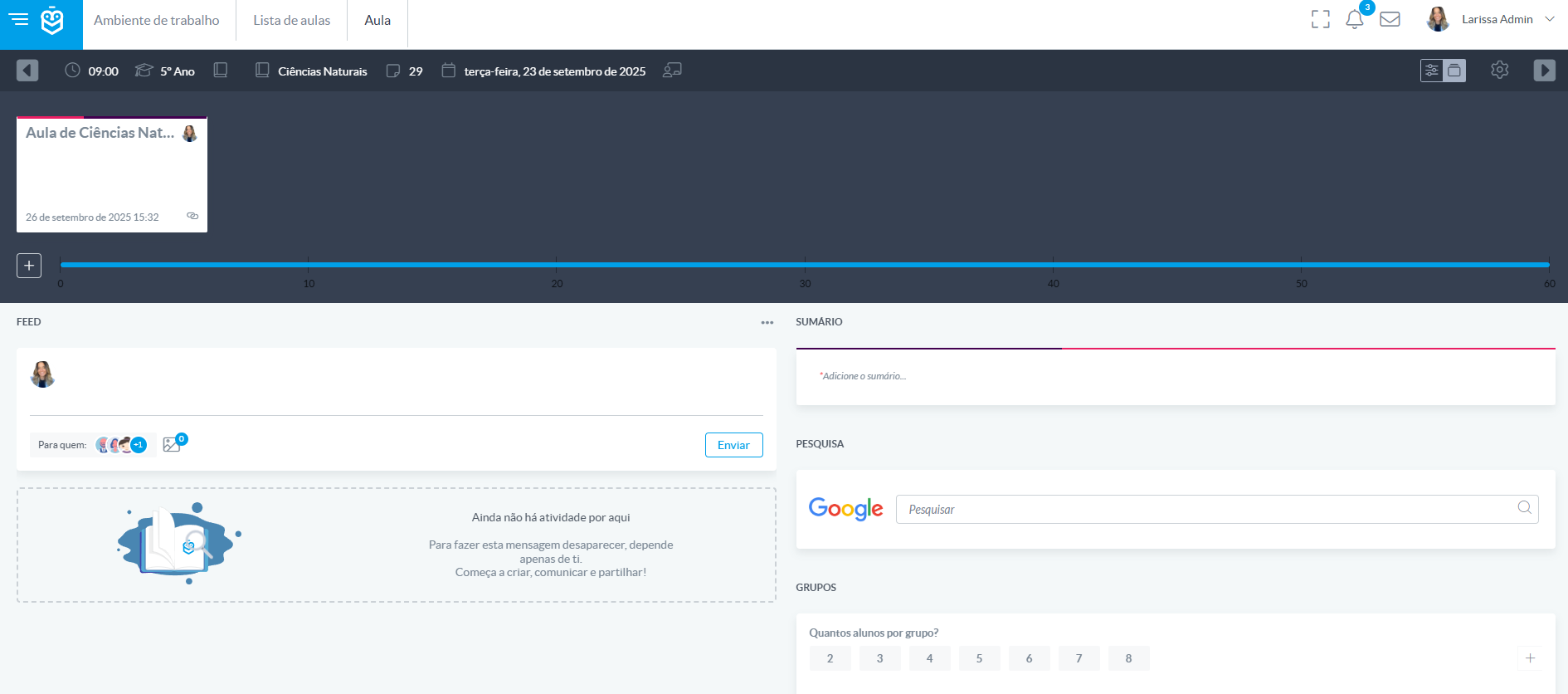
Once inside the lesson, the session dashboard will be displayed
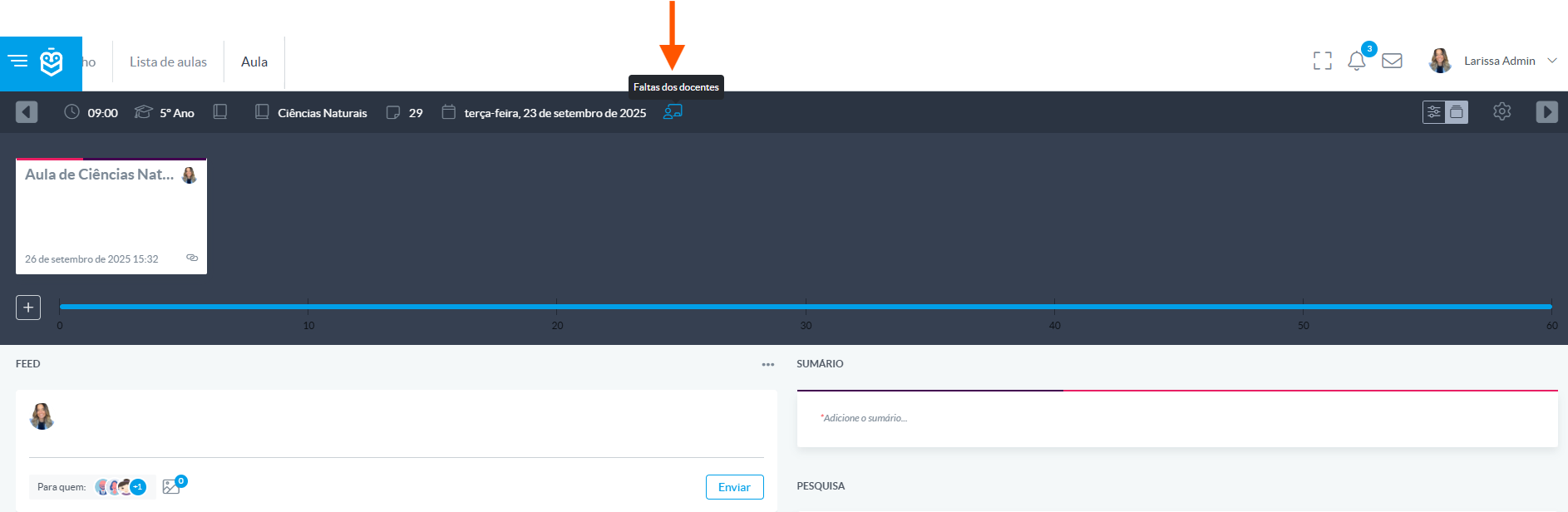
Click on Teacher Absences
Check the box next to the teacher’s name and confirm the action
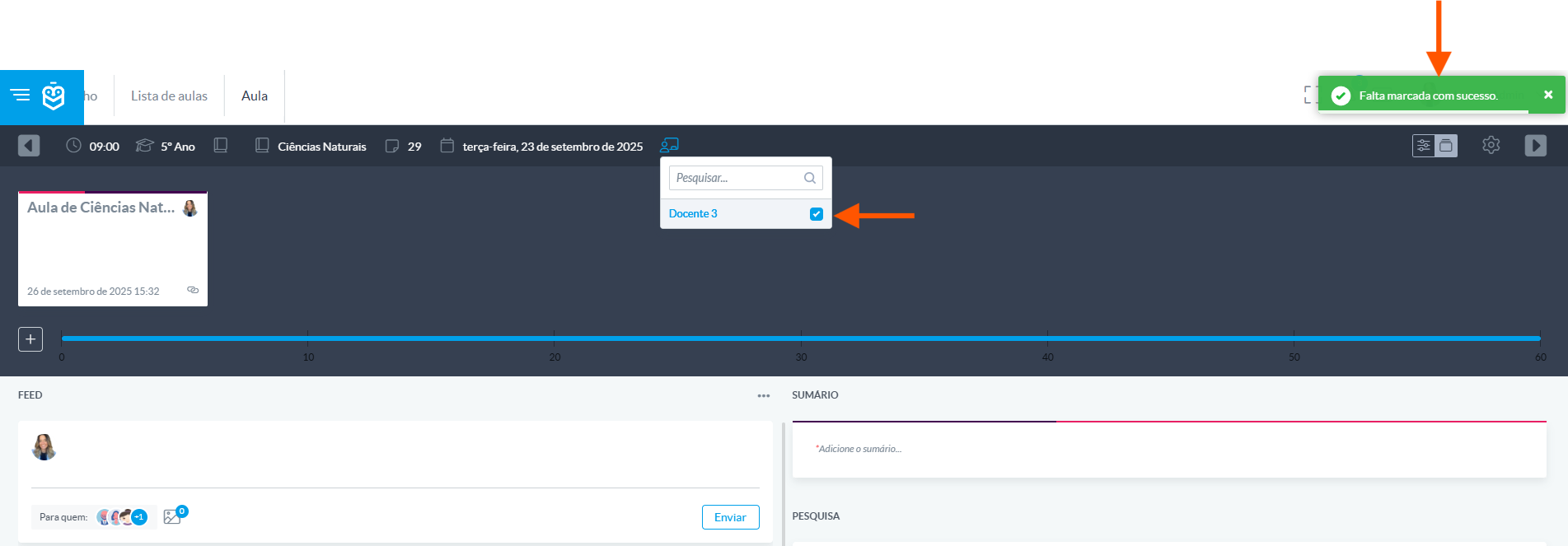
If you need to undo the absence marking, simply repeat the same steps and uncheck the box next to the teacher’s name.Recording teacher absences is a simple and effective feature for keeping lesson records up to date. By following these steps, the administrative team ensures that the information is correctly linked to the lesson and available for future reference.
Was this article helpful?
That’s Great!
Thank you for your feedback
Sorry! We couldn't be helpful
Thank you for your feedback
Feedback sent
We appreciate your effort and will try to fix the article