It is possible to associate specific pages or chapters of an e-Doc with lessons or meetings, making the use of content more targeted and efficient.
1. Associate a Page or Chapter with an Event
Access the main e-Doc where you want to make the association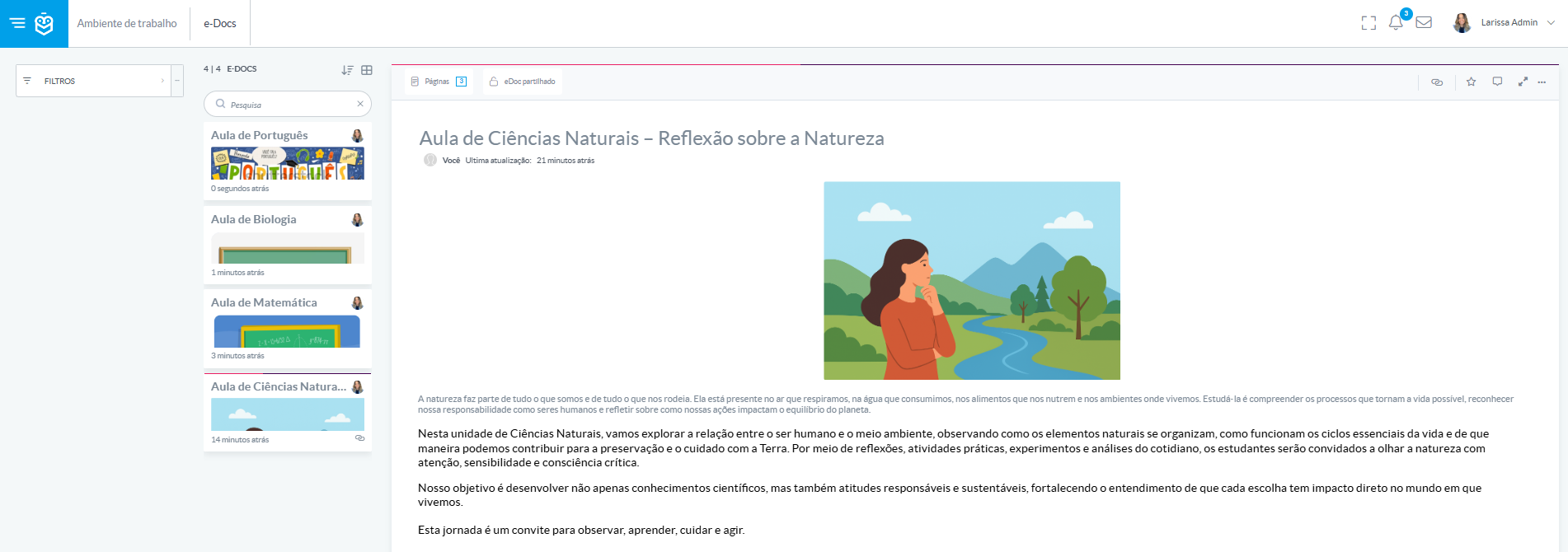
The document structure will be displayed, showing the available pages and chapters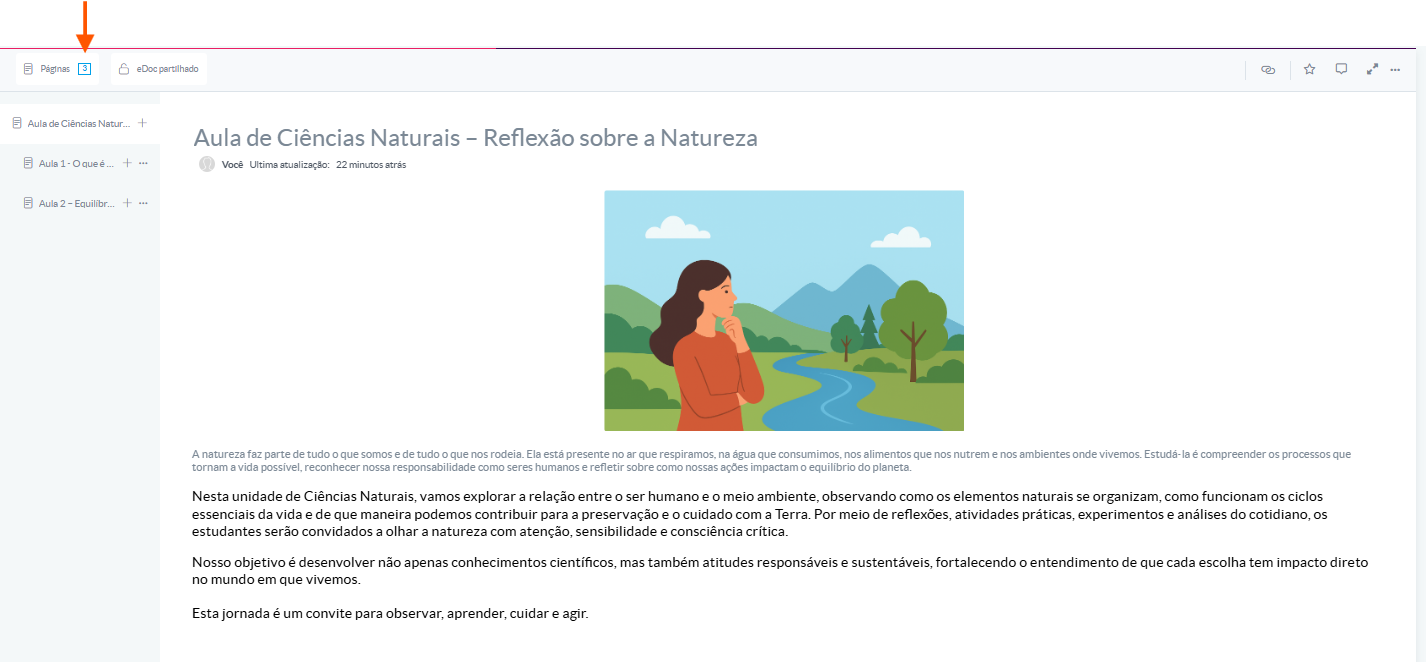
Select the page or chapter you wish to associate
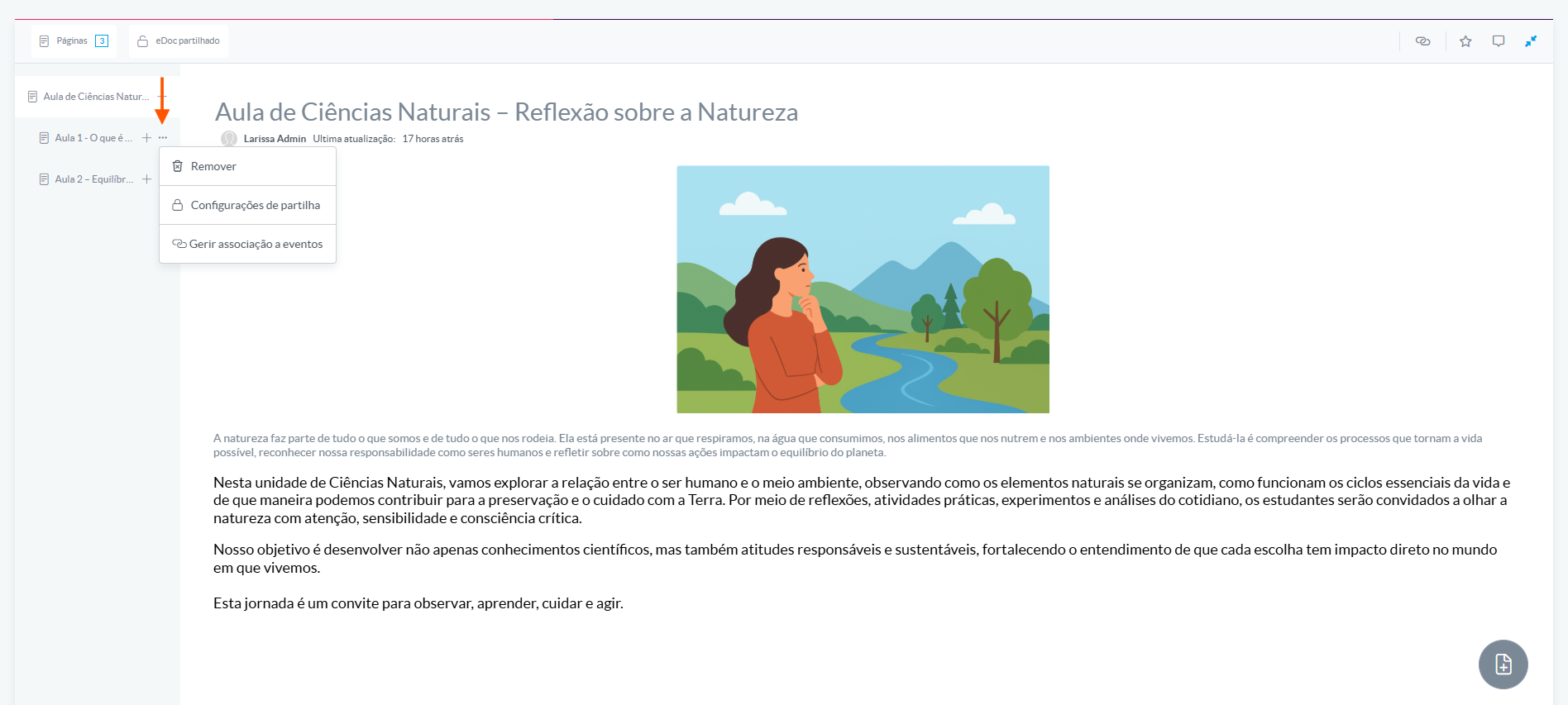
Click on “Manage event association”
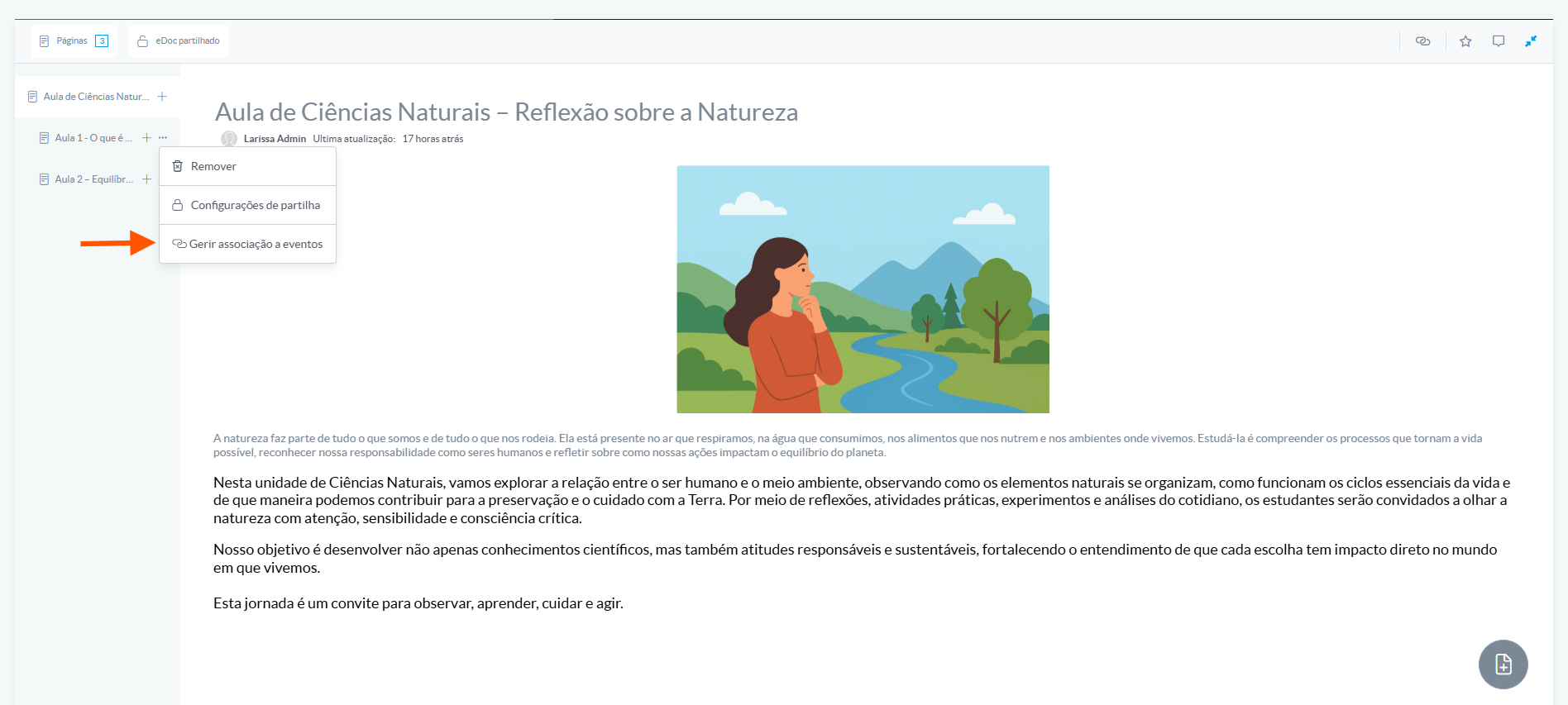
After opening this option, use the filters to refine your search:
- Classes: choose the desired class
- Subjects: select the subject to which the teacher is assigned
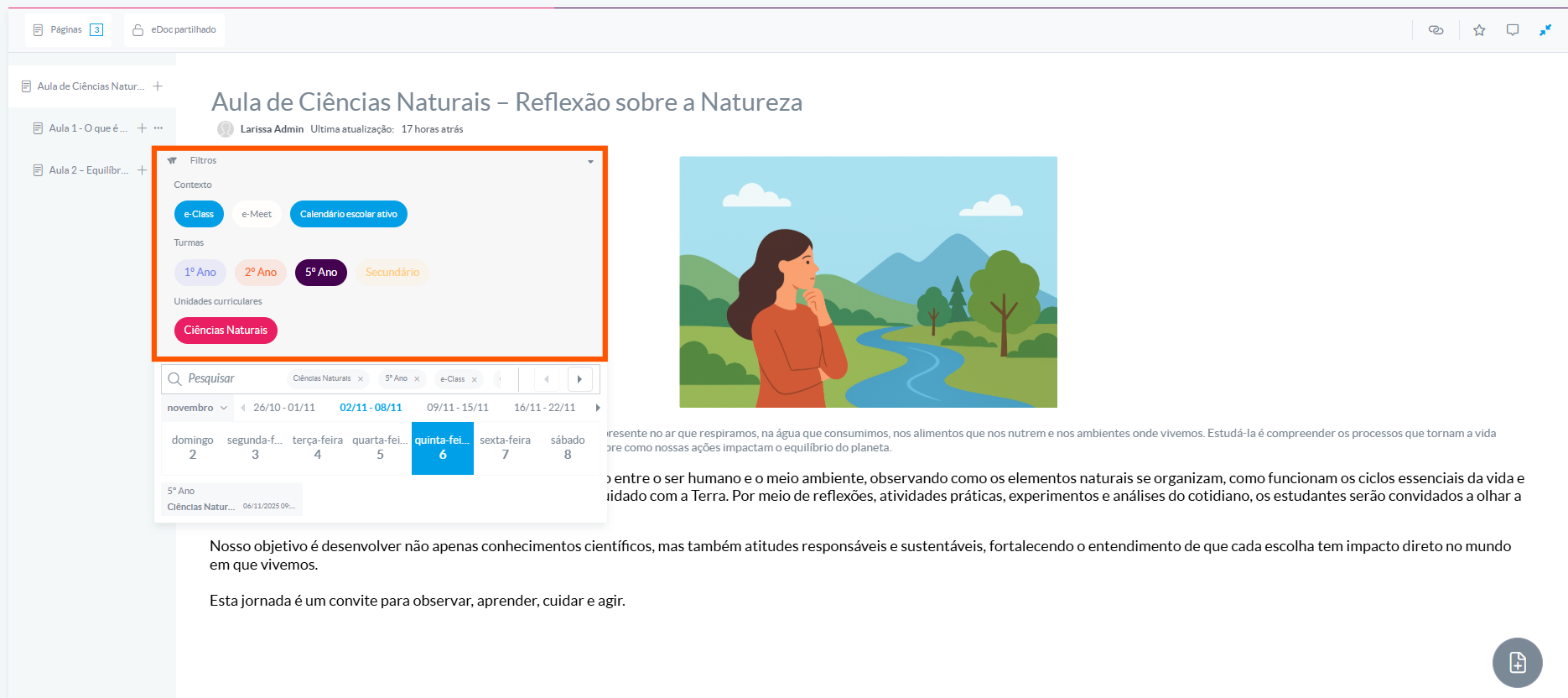
Click on the event (lesson or meeting) to associate the selected page or chapter
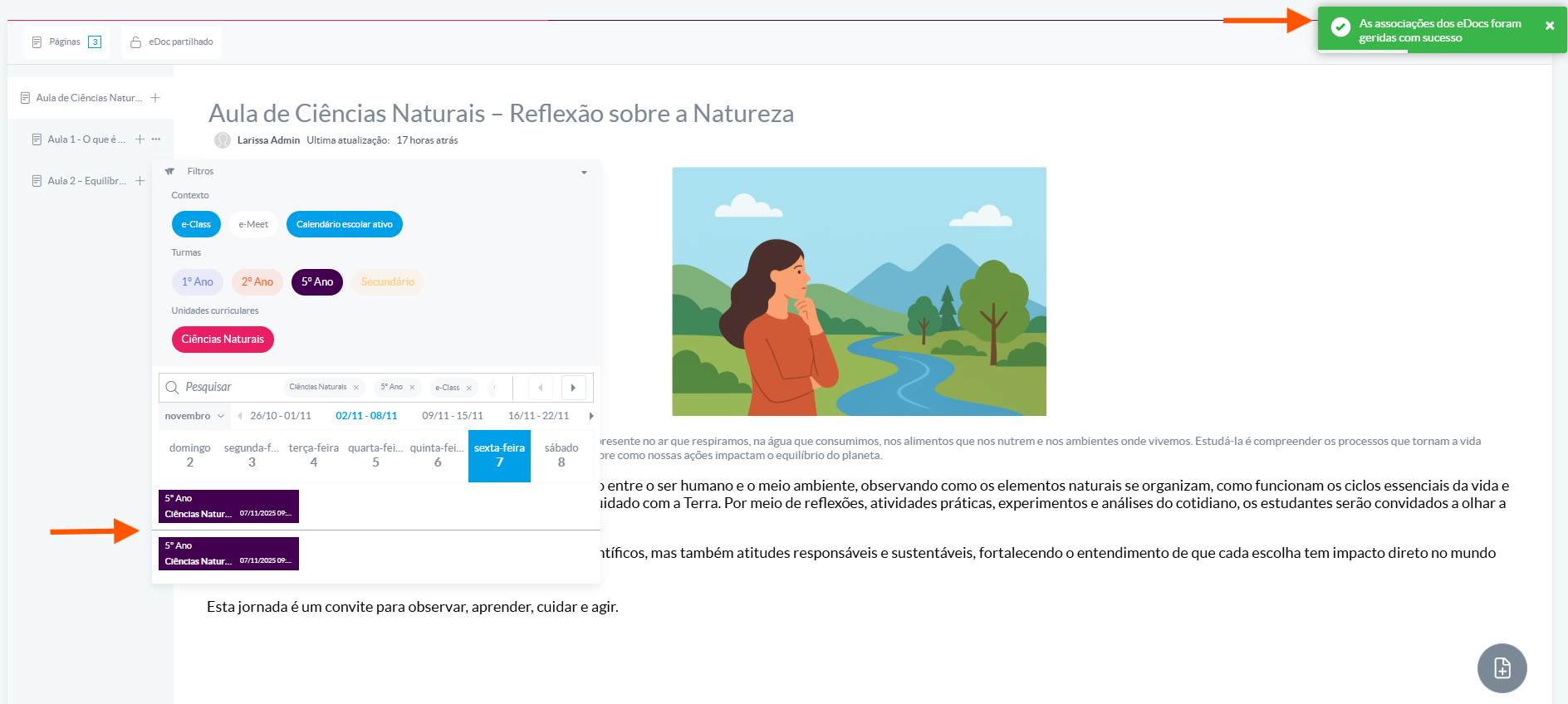
Only teachers can associate pages or chapters. Therefore, if the user has no link to any lessons, no events will be displayed for association.Associating specific pages or chapters of an e-Doc with events ensures that participants have direct access to relevant material, avoiding confusion and improving organization.
This practice contributes to a more efficient pedagogical experience, allowing teachers and students to quickly find the necessary content in the right context
Was this article helpful?
That’s Great!
Thank you for your feedback
Sorry! We couldn't be helpful
Thank you for your feedback
Feedback sent
We appreciate your effort and will try to fix the article